Player guide
The Crownfall Player Guide
Everything a new commander needs to know, in plain words.

Not playing yet? Crownfall is out now on Google Play.
 1. What is Crownfall?
Crownfall is a space strategy game you play on your phone, in short visits, over a season.
You share one living galaxy with everyone else. Every ship you send actually flies across the map. Nothing teleports, so a clever plan made in the morning beats a fast thumb at midnight. You will grow worlds, build a fleet, scout your neighbours, fight, and join a clan whose members can turn a battle.
Everything in this guide is live for every player today, and the game keeps growing. For now the leagues are locked: nobody moves up or down a league at the end of a season, but you are paid as if you had moved up. Section 8 explains the season.
When a season ends, every commander is paid for their final position, and the next season starts everyone from a single fresh capital with a newcomer's resources. Gold, prestige, Crown Medals, history and everything bought stay with you.
 2. Your first ten minutes
Here is exactly what happens when you open the app for the first time.
1. Arrival. You land on the ASTERRA COMMAND screen with three steps across the top: Arrival, Commander, First World. A returning commander signs in here (email, Apple or Google). A new commander taps TAKE COMMAND: no email, no password, no form.
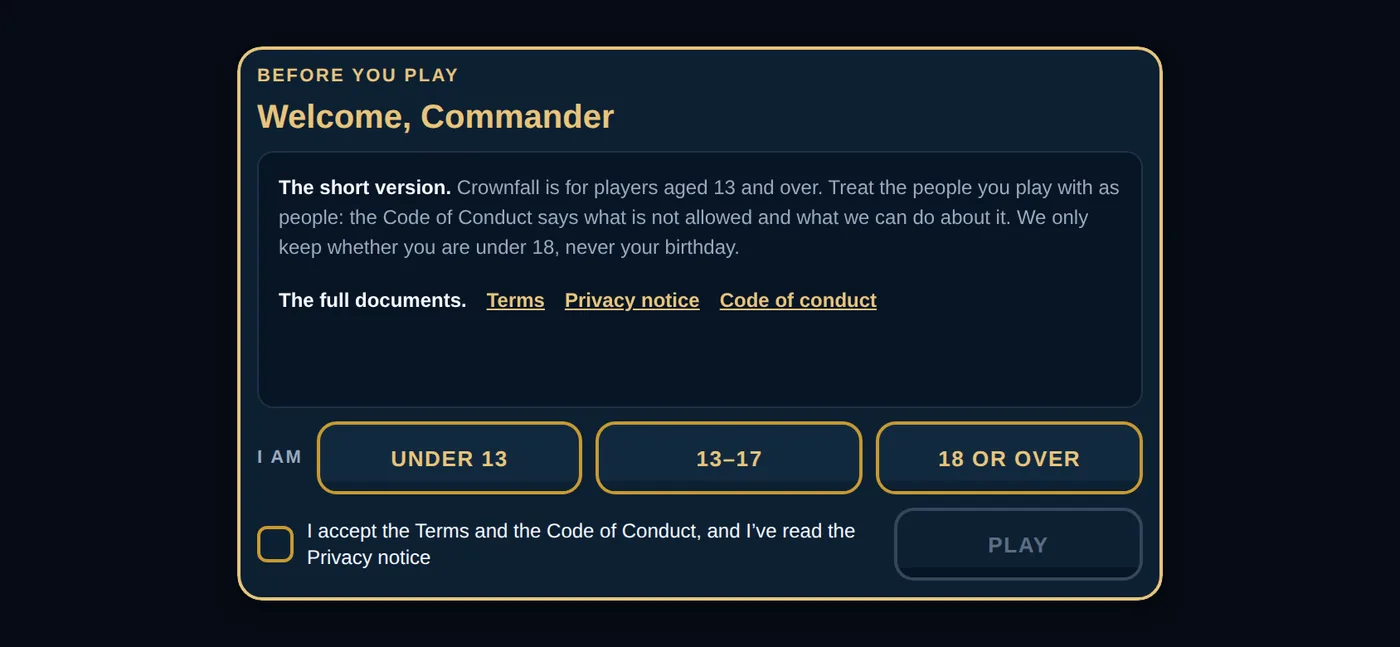
2. Before you play. After a short loading sequence, one screen asks your age band (Crownfall is for players aged 13 and over) and for a tick to accept the Terms and the Code of Conduct. The game keeps only whether you are under 18, never your birthday. Tap PLAY.
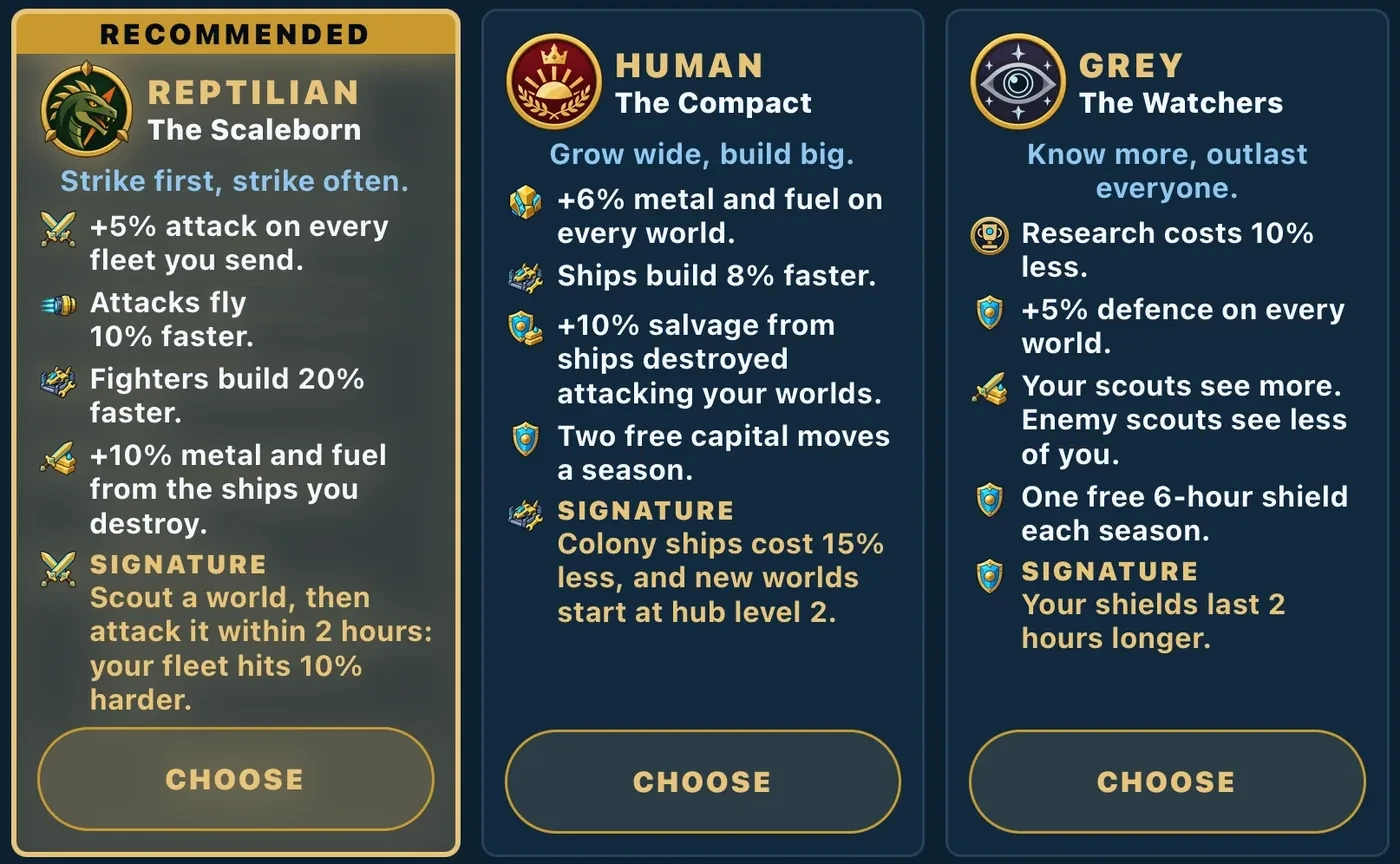
3. Choose your lineage. Your commander belongs to one of three peoples: Human, who grow wide and build big; Reptilian, who strike first and strike often; or Grey, who know more and outlast everyone. Each card shows what that lineage is good at and its signature, the one thing the other two do not have (more below). You choose once. You can convert to another lineage later for gold, and the change starts with the next season. Your face follows your lineage: after you choose, pick your face within it (male or female; a Grey has one form). Eyes, skin, hair and gear can be changed any time under COMMANDER. Then tap TAKE YOUR FIRST WORLD. The game gives you a capital (the app calls it your Crown World) on a real planet in the shared galaxy, placed where there is room to grow, next to real people.
4. Look at what you already own. Every new commander starts with:
- 1,000 metal and 1,000 fuel ready to spend.
- A gift called Starting Reserves: another 1,000 metal, 1,000 fuel and 100 gold. You do not have to do anything: it goes straight into your stores as soon as you hold your first world, and it is listed under STORE, then REWARDS.
- A capital with its Colony Hub and all four buildings at level 1.
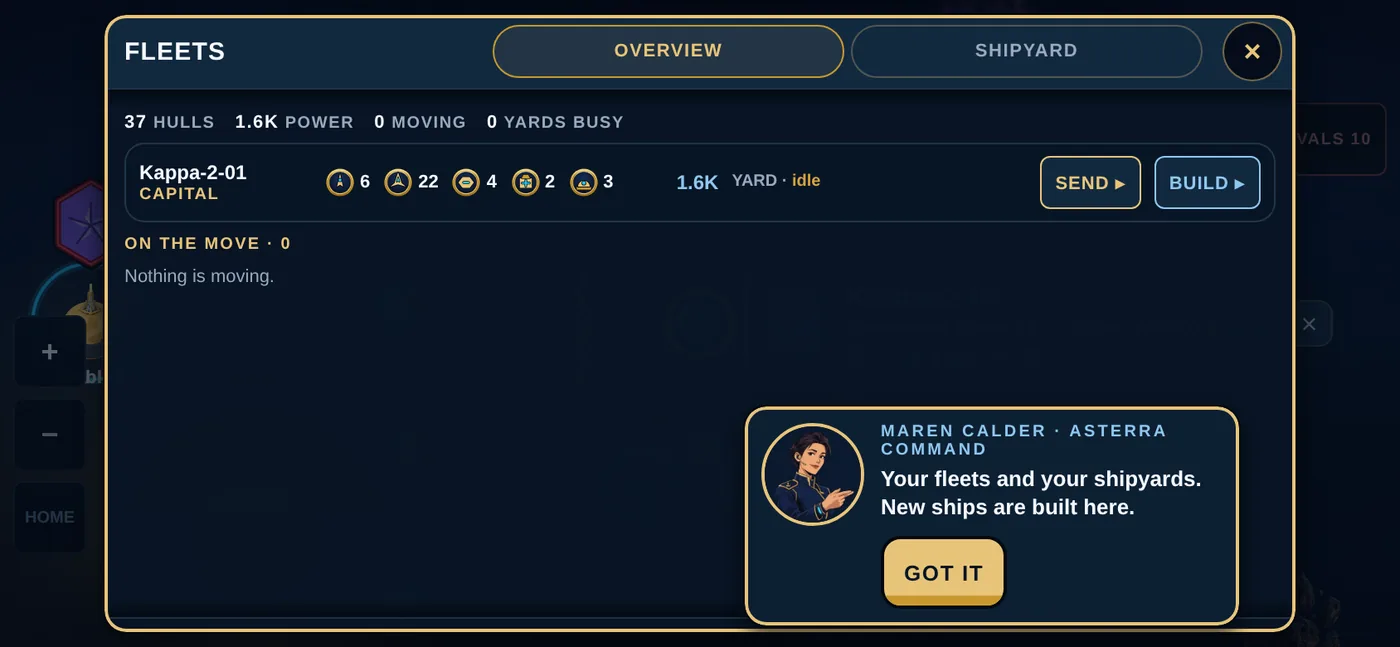
- A starting fleet: 6 Scouts, 18 Fighters, 4 Cruisers, 2 Recyclers and 3 Colony Ships.
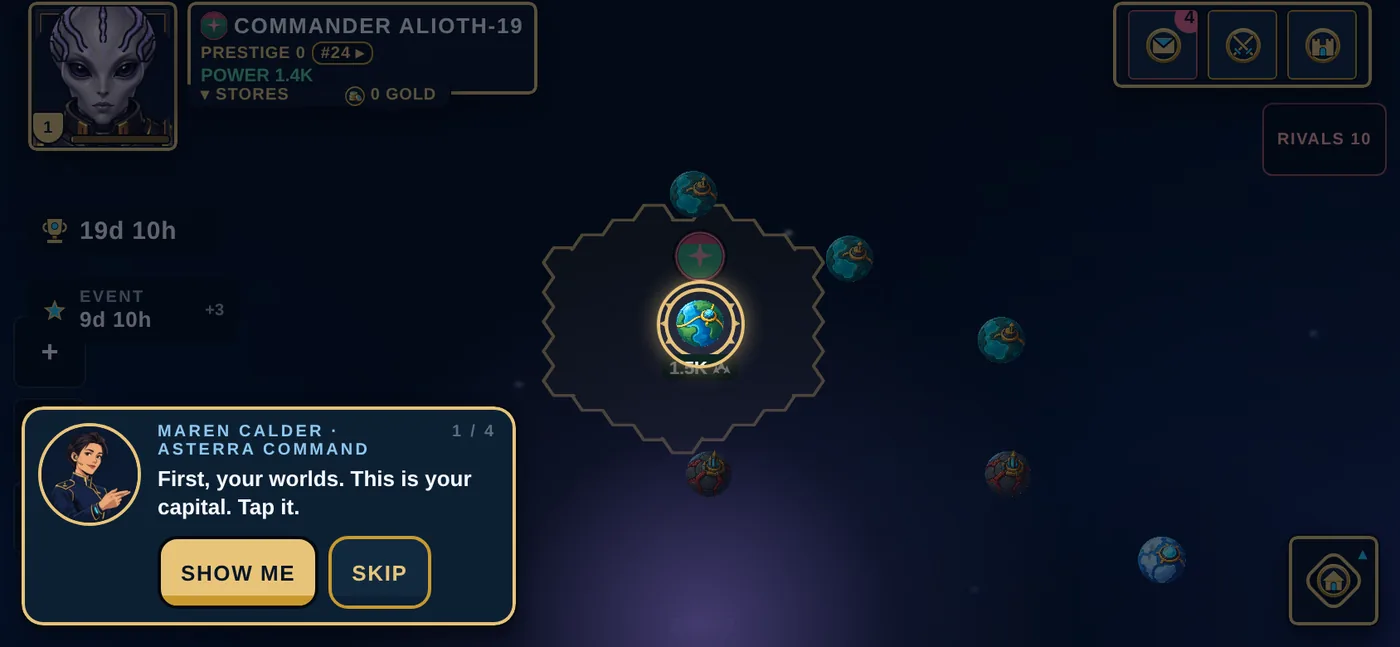
5. Let Maren show you around. Maren Calder of Asterra Command walks every new commander through the map, the buildings, the fleets and the season, four short stops, once. Say SHOW ME; it takes a minute. If you skip it you can find her again under SETTINGS, then WHERE IS…?
6. Say yes to notifications. Shortly after you first see your map, the game asks once whether it may send notifications. Say yes. This is how you find out that an enemy fleet is flying at one of your worlds while the app is closed.
7. Find your way around. The map is your home screen. Everything else is in the COMMAND menu:
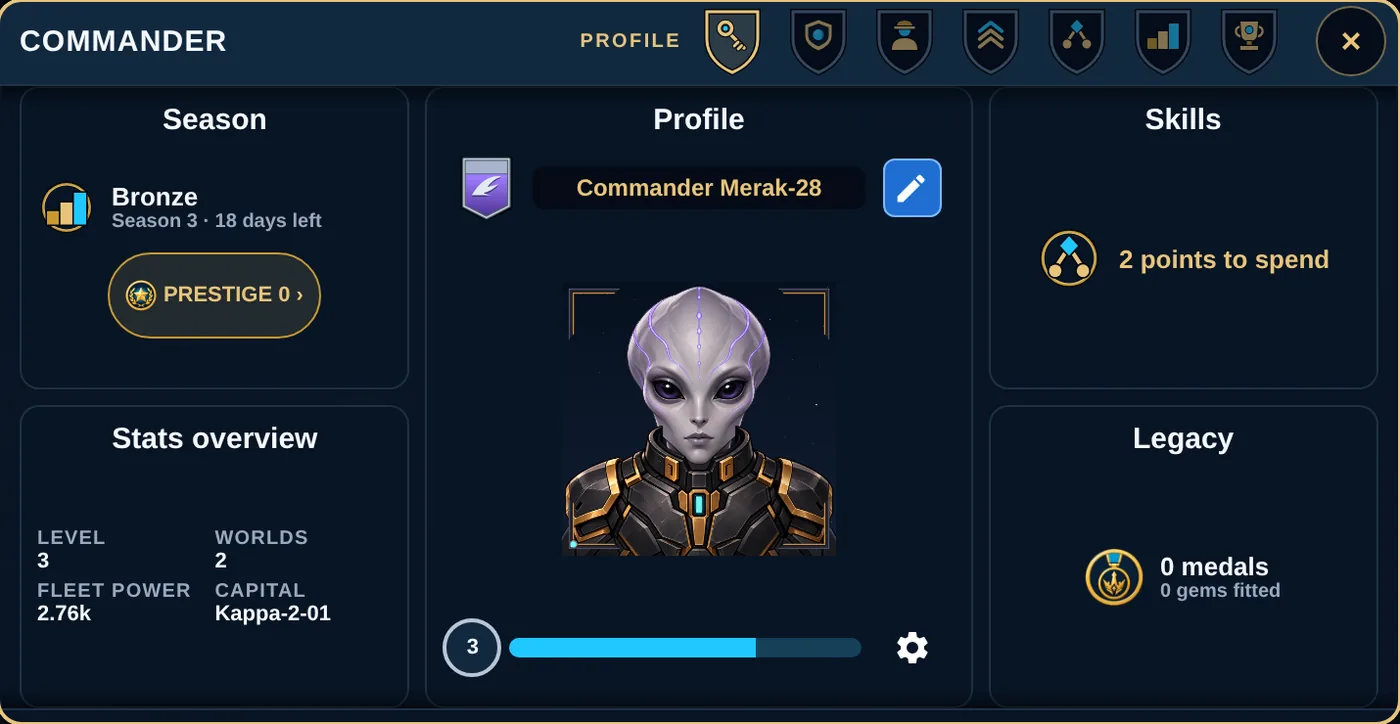
- COMMANDER — your profile, portrait, level, skills and Legacy.
- PLANETS — your worlds (COLONIES), one world's buildings, and its DEFENCE.
- FLEETS — your ships, what is moving, and the SHIPYARD.
- RESEARCH — four upgrade tracks that make your whole empire better.
- ALLIANCES — your clan, your alliance and the RALLIES board.
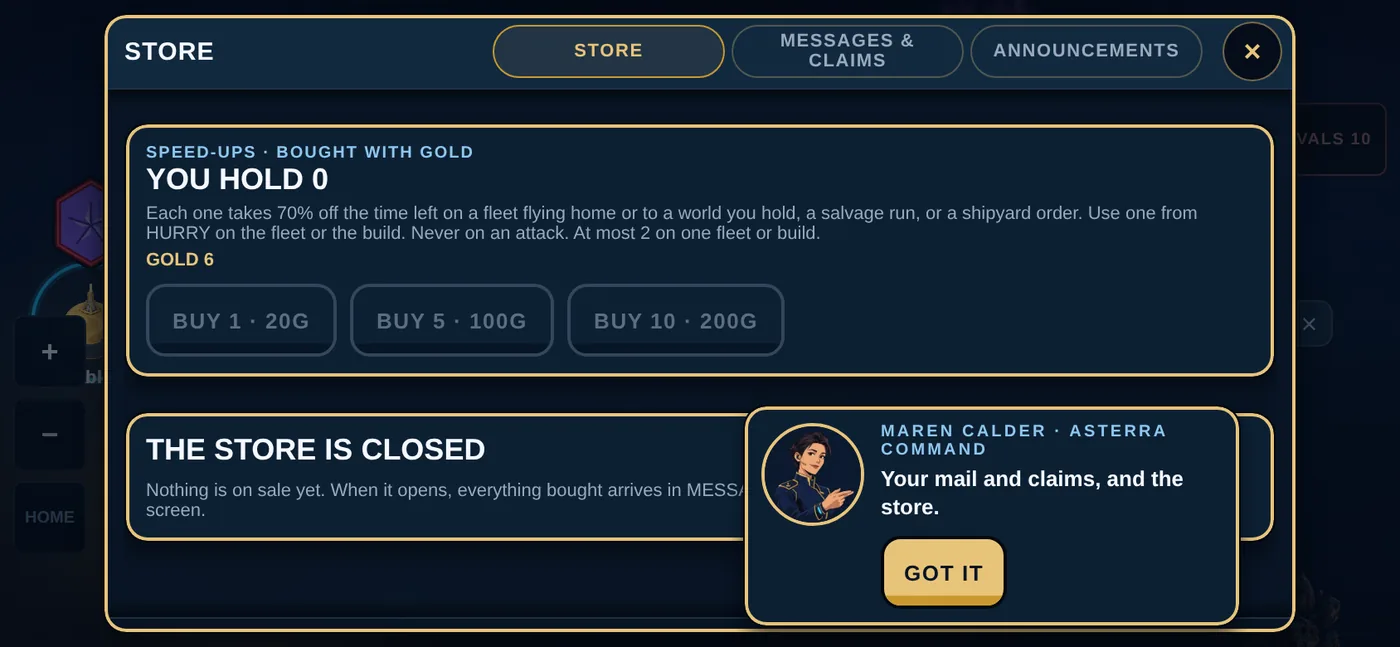
- STORE — speed-ups and shields bought with gold, your REWARDS (everything you earned or bought, collected for you as it arrives, with your messages), and ANNOUNCEMENTS from the studio.
- EVENTS — live events, your OBJECTIVES and the SEASON.
- SETTINGS — your account, preferences, help and support.
Chat floats over the map itself, so you never have to leave the galaxy to talk.
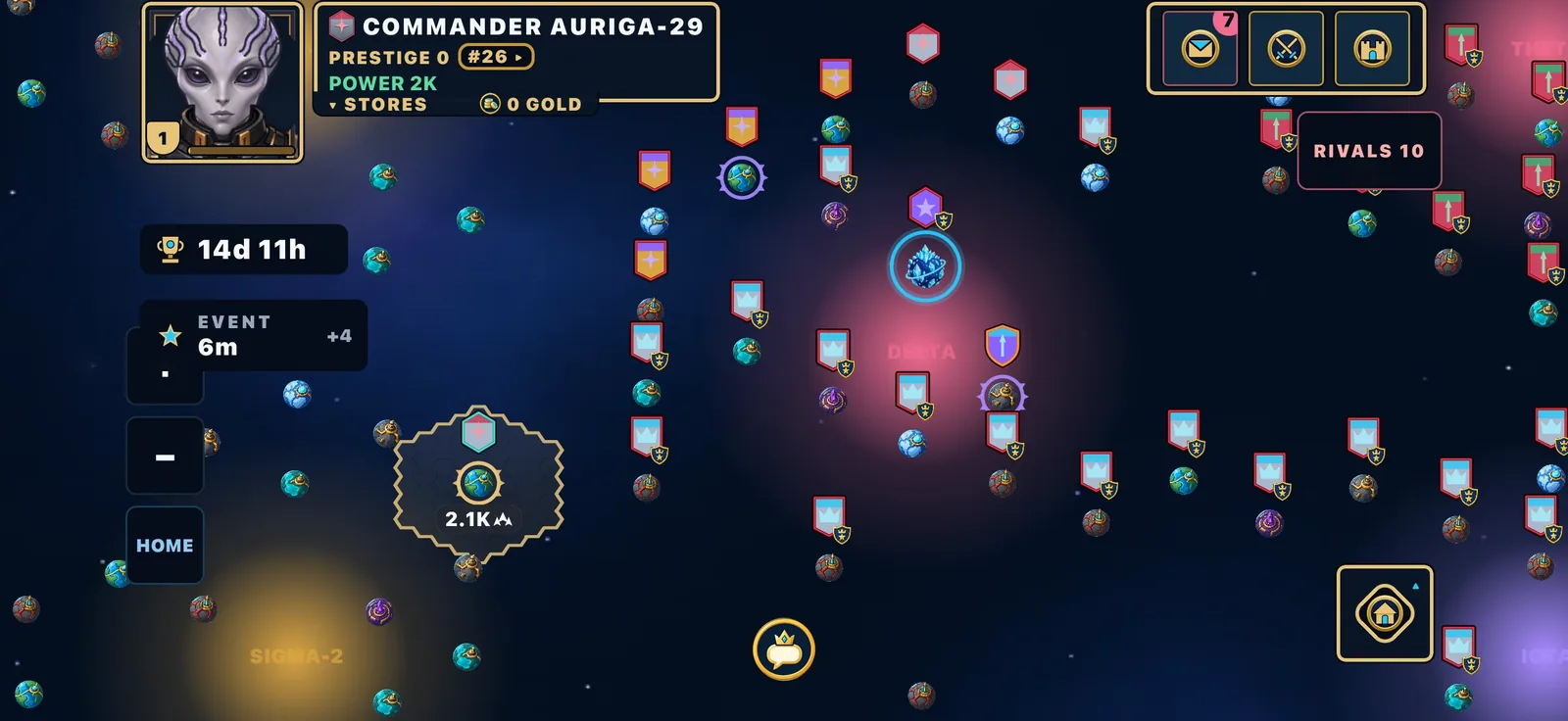
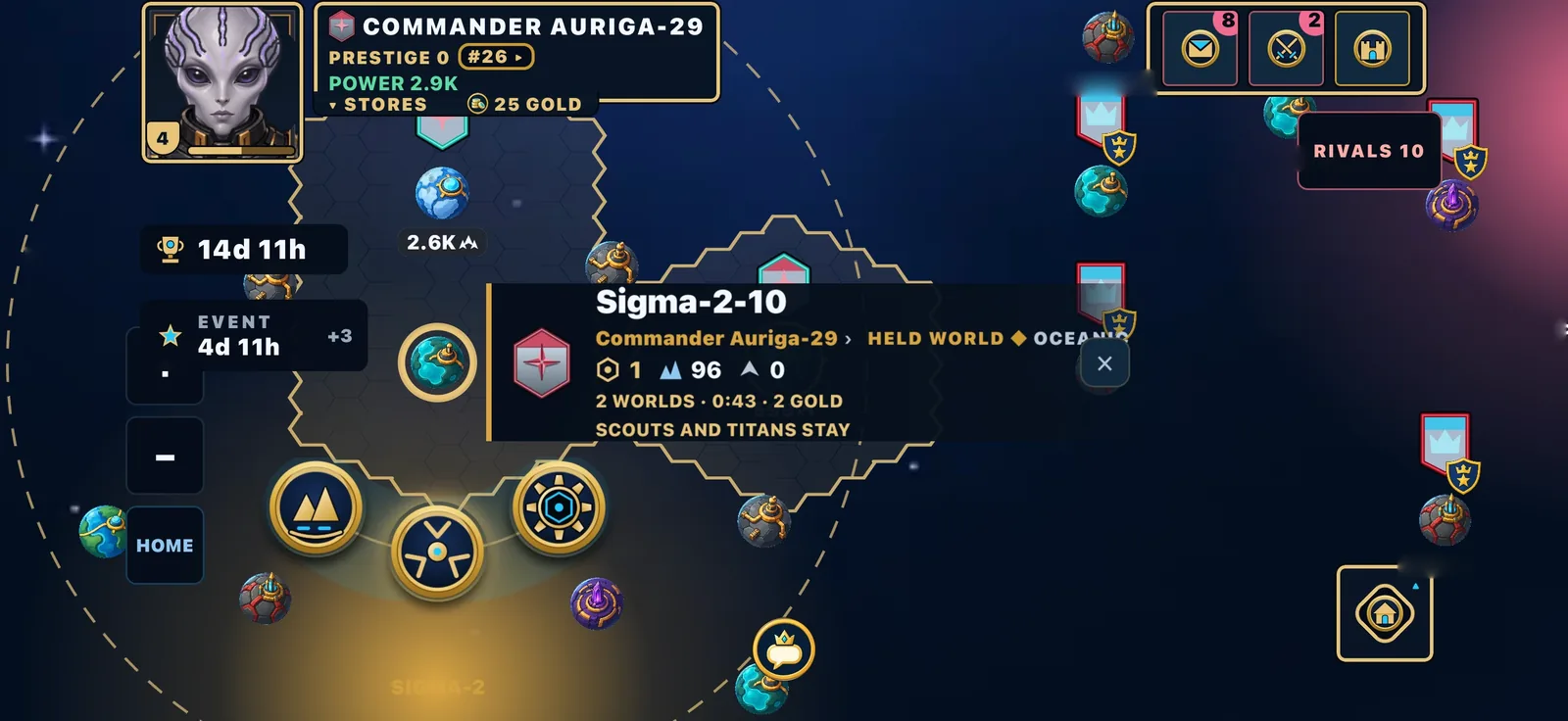
The map's own corners matter too. Top left: your portrait with your level, your rank, your total power and your stores. Top right: your mail, your battle reports and your worlds. Bottom right: HOME flies the map back to your capital. RIVALS lists the commanders nearest to you.
 1
2
3
4
1
2
3
4
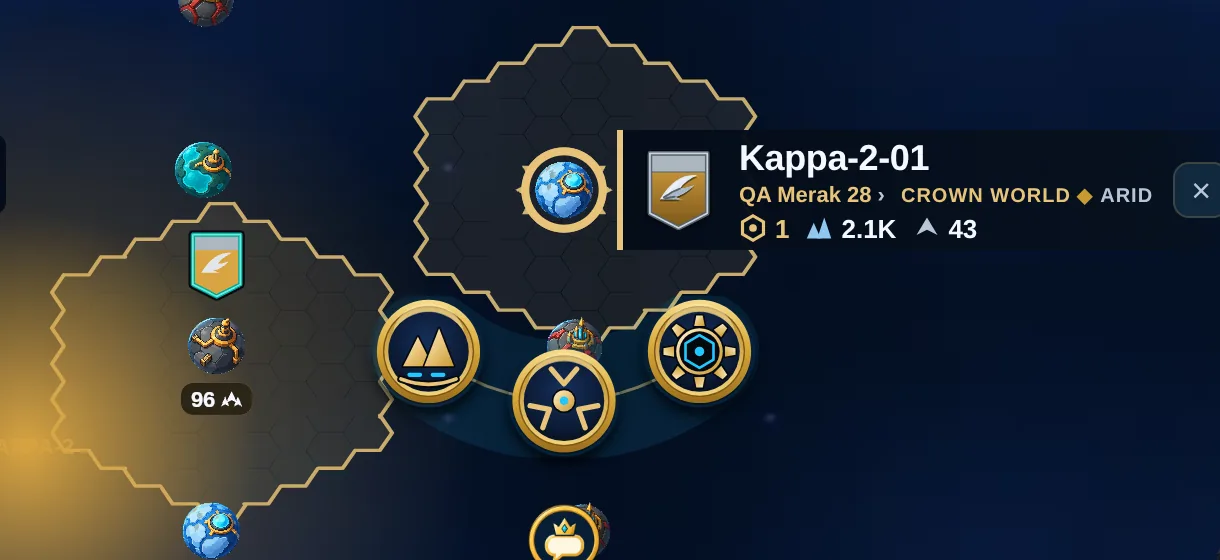
- Your capital, in a gold ring with four points.
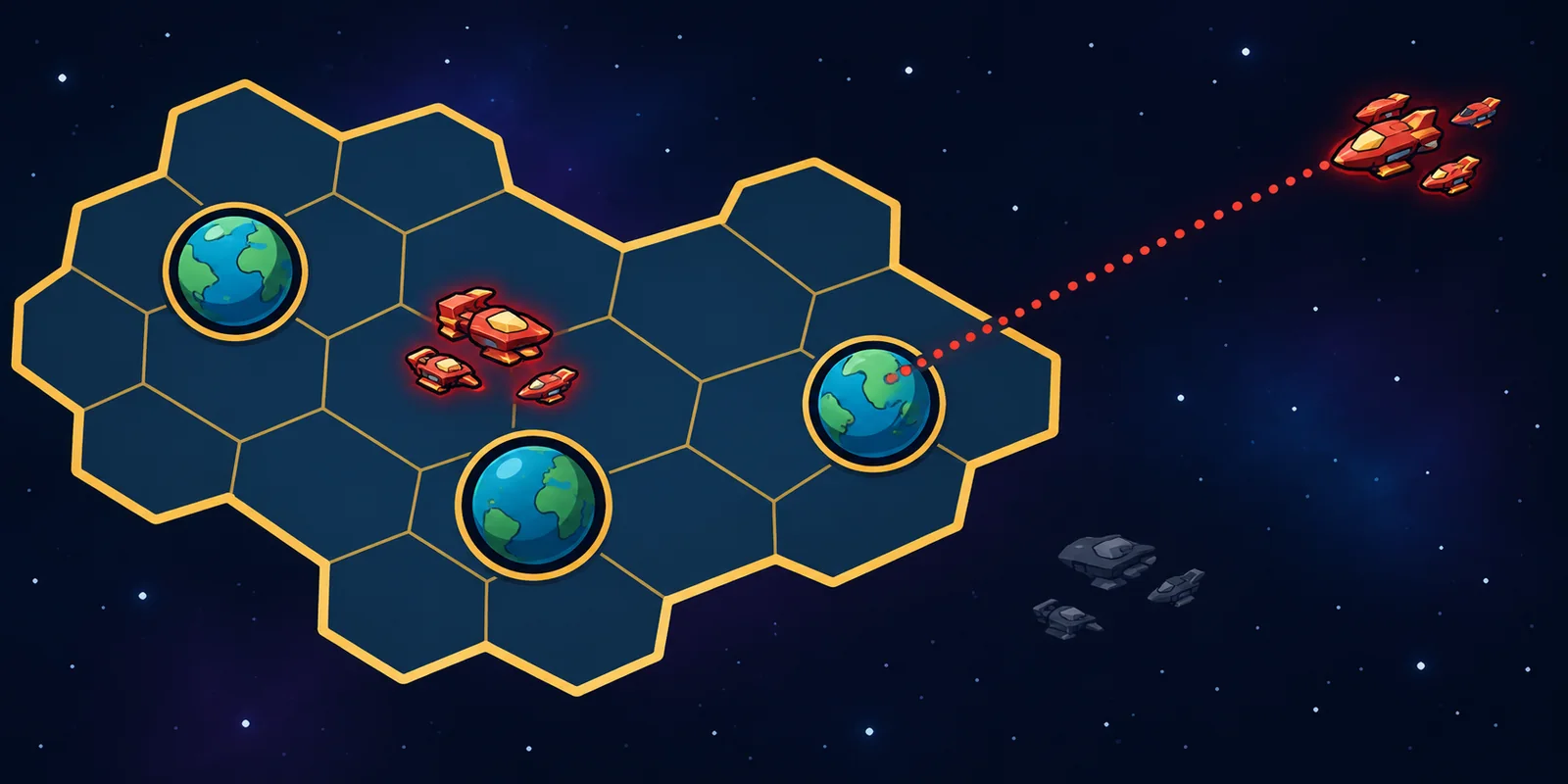
- Your turf: the gold hexes around your worlds. You see everything that moves inside it.
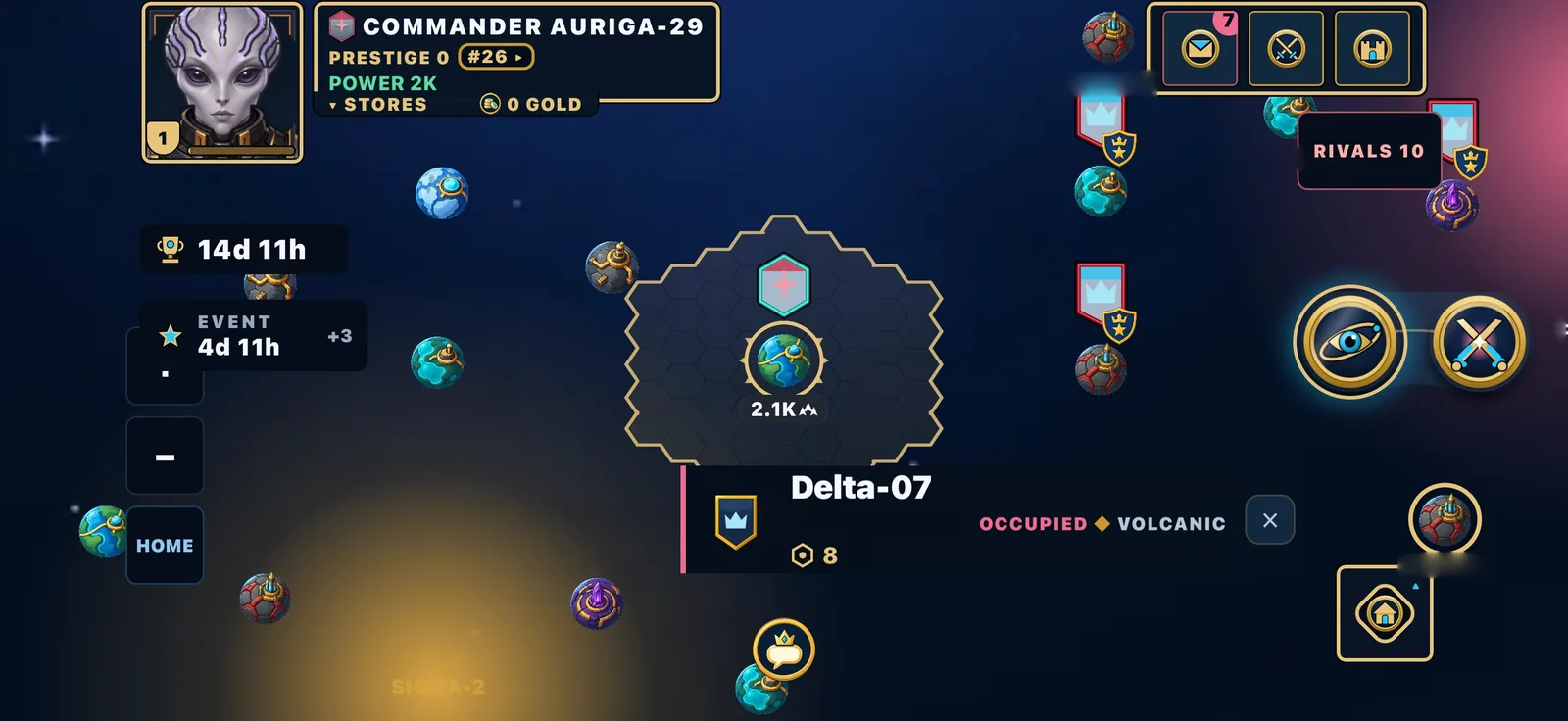
- The world box: who holds it, what kind of world it is, its Hub level, its power and the ships there.
- The orders for this world appear as round buttons under it.
You are playing as a guest. Register when you are ready.
You can play right now without an account. When you close the app and come back, it remembers you.
But a guest is a temporary identity, and a guest cannot join or found a clan. To make your commander permanent, open SETTINGS, then ACCOUNT, and add an email and a password (8 characters or more). You will pick a handle (your permanent ID, which staff use to identify you, so it cannot be changed) and a display name (the name everyone sees; your first two changes are free).
Registering keeps everything you already have. Same worlds, same fleet, same capital. It also does two things a guest cannot:
- It lets you join or found a clan or an alliance.
- It makes sure you never lose your commander if you change phones or reinstall.
Do it in your first session. It takes a minute.
A campaign you can finish: twenty days. Make them remember.
Each season is a focused fight for rank. When the clock closes, results become history and earned rewards feed your permanent Commander Legacy.
- Build: establish. Develop metal and fuel production, raise your shipyard and turn one holding into an economy.
- Explore: read the map. Scout generated sectors, colonise unclaimed worlds and watch rival fleets reveal their intent.
- Coordinate: raise a banner. Found a clan, forge an alliance and organise shared rallies before the decisive move.
- Conquer: take the landmarks. Capture the six landmarks — Vulkanos, Lyra, Vesper, Halcyon, Corvane and Solenne — to share their perks across your clan and alliance.
 3. Your empire
Two resources
Crownfall runs on Metal and Fuel. That is all.
- Metal builds ships, buildings and research.
- Fuel pays for the same things, plus every flight your fleets make.
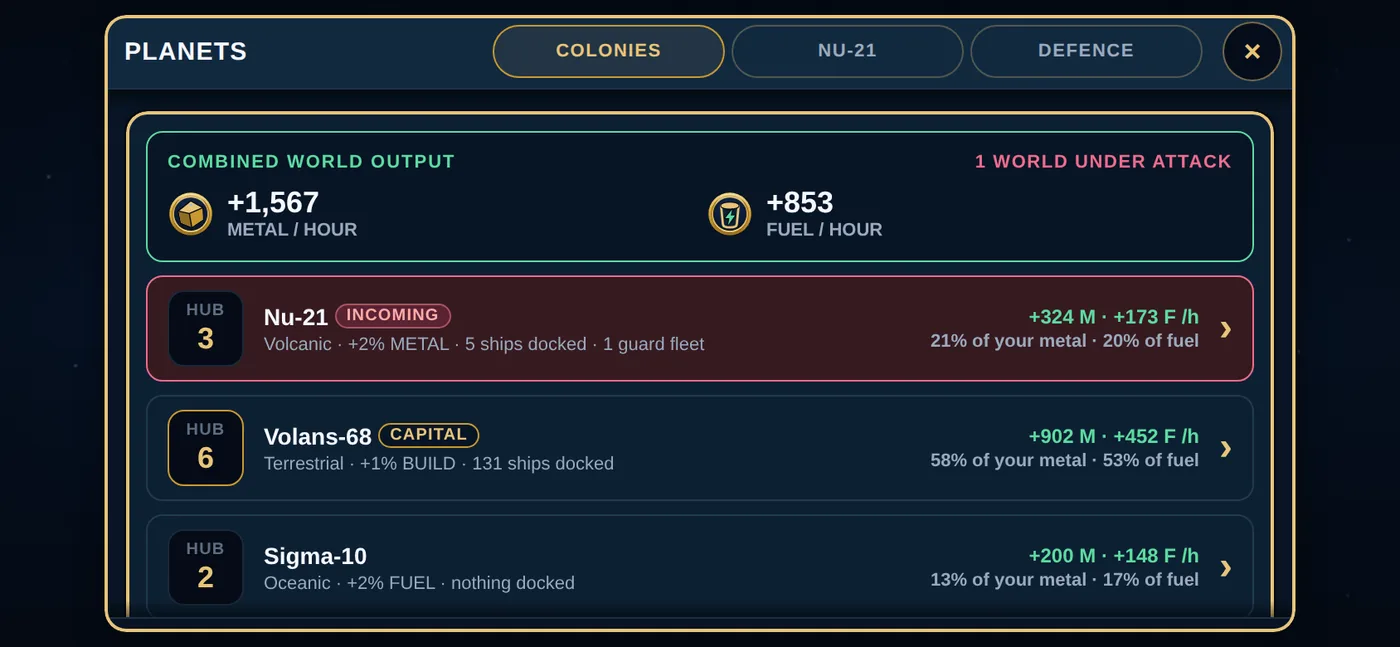
Every world you own produces both, and it all flows into one shared pool. You do not have to shuffle resources between planets. Production ticks up all the time, even while the app is closed.
The Colony Hub, and four buildings
Every world has a Colony Hub and four buildings. Upgrades are instant: pay, and the level goes up.
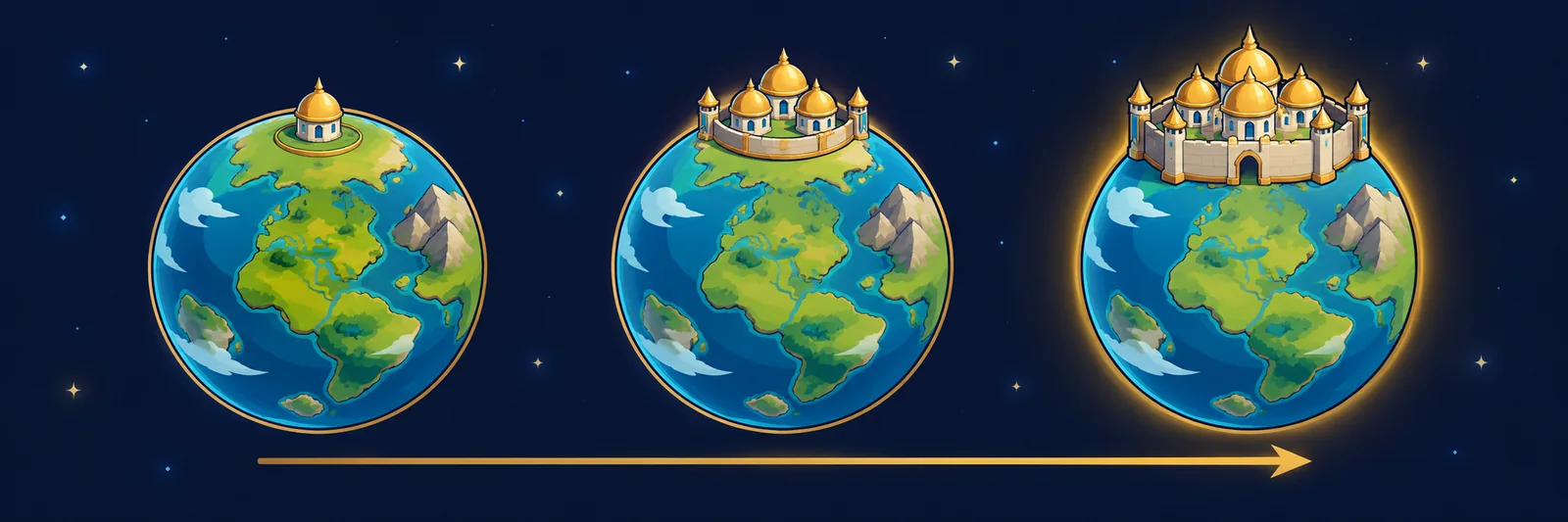
The Colony Hub is the world's level. Every Hub level raises everything that world makes by a fifth, sets how much force an attacker can bring against it, gives the world its own walls in a fight, and decides what a scout can learn about it. There is no top level: each level costs 1.8 times the one before (360 metal and 216 fuel takes a world from Hub 1 to Hub 2), and the price is the only limit. A world you capture loses one Hub level on the way in, and a Hub cannot be raised while an attack on it is in the air.
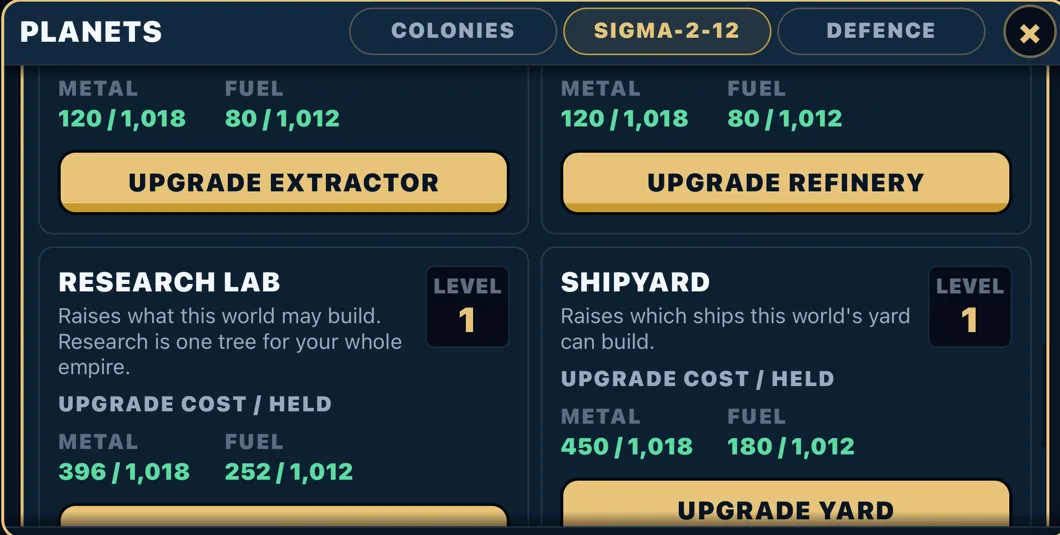
| Building | What it does |
|---|---|
| Metal Extractor | More metal per hour from this world. Starts at 120 an hour. The first two levels are cheap. |
| Fuel Refinery | More fuel per hour from this world. Starts at 80 an hour. The first two levels are cheap. |
| Research Lab | Sets how high you can research. To buy a research level, you need a lab at that level somewhere in your empire. |
| Shipyard | Sets which ships this world can build. Bigger ships need a higher yard. |
The four buildings go to level 5. Raising the Extractor or Refinery also pays a little commander experience; raising the Hub pays power, not experience.
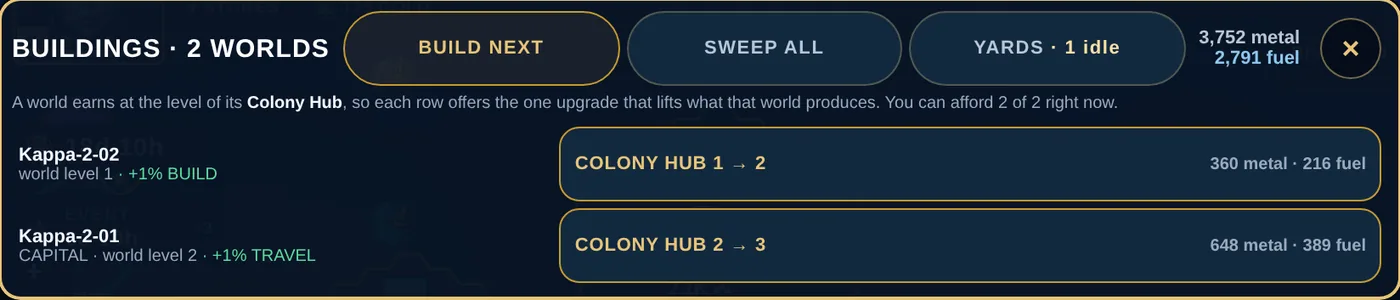
Where to do it. Tap one of your worlds and choose MANAGE for its five upgrade buttons, or open PLANETS for every world. The BUILDINGS sheet has two shortcuts: BUILD NEXT offers each world the one upgrade that lifts what it produces, and SWEEP ALL raises the same building on every world at once.
The Hub rule (the best tip in this guide)
The Extractor and the Refinery add output; the Hub multiplies it. A world with a high Refinery and a level 1 Hub is still a level 1 world: easy to scout, cheap to attack, and earning far less than it could. So raise the Hub first on every world you mean to keep, then the two producers behind it.
Research
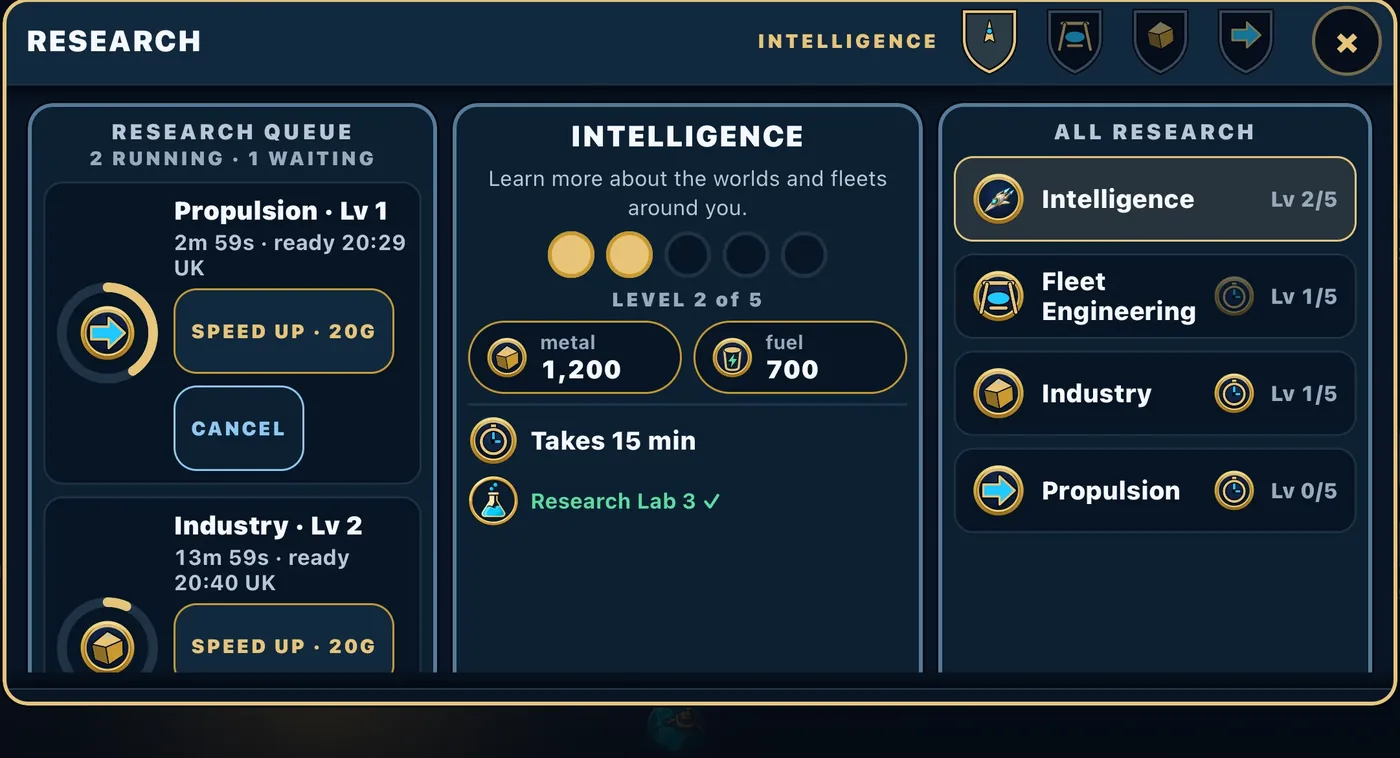
The RESEARCH screen has four tracks. Each goes to level 5 and needs a Research Lab of the same level somewhere in your empire.
Research takes time. Each level runs on a clock, and higher levels take longer. Two levels can research at the same time, and more can wait in the research queue behind them: line up your next steps before you log off and they start by themselves. A speed-up works on research too.
- Intelligence — how much a scout report tells you, and how little other people's scouts learn about you. Every level adds a step to your reports and hides one from theirs. It is also the only way to reach the last step, Full, which shows the fleets a world has in flight. At high levels it also widens how far your worlds can see.
- Fleet Engineering — unlocks bigger ships.
- Industry — every world earns 4% more metal and fuel per level above the first, so 16% at level 5.
- Propulsion — every fleet flies 4% faster per level above the first, so 16% at level 5.
Different worlds give different bonuses
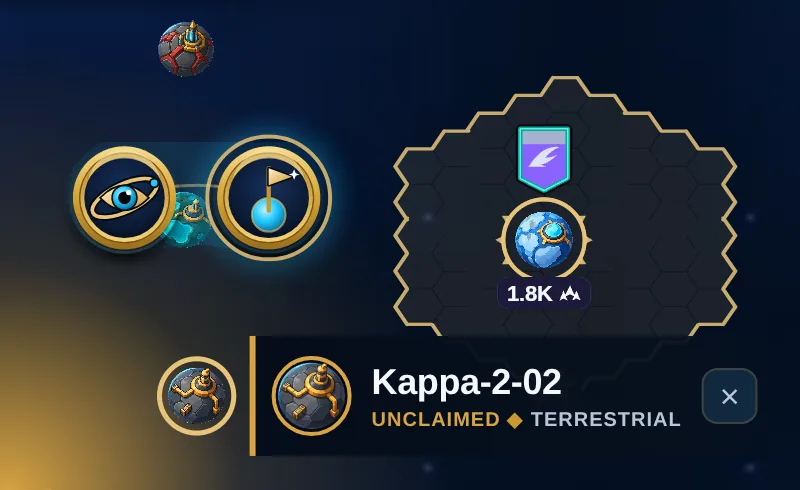
Every world you hold has a terrain type, and each one adds a small bonus to your whole empire:
- Volcanic — +2% metal
- Oceanic — +2% fuel
- Arid — +1% fleet speed
- Terrestrial — +1% build speed
These stack for every world you hold.
Six kinds of world are landmarks. A landmark produces no metal or fuel of its own, and nothing can be built on it. Holding one gives only its perks, and they reach you and every commander in your clan and alliance:
 Vulkanos PrimeForge-world
+8% attack, +4% defence, +2% travel speed
 Lyra PrimeRaider-world
+12% Scavenger, +10% defence, +4% travel speed
 Vesper ReachFrontier world
+18% fuel, +14% travel speed, +6% metal
 Halcyon BastionShield-world
+12% defence, +6% Salvager
 Corvane DeepOre-world
+14% metal, +4% fuel
 Solenne SpireBeacon-world
+15% commander experience
Scavenger is more metal and fuel when you attack, from the enemy ships you destroy; Salvager is the same when you defend. A metal or fuel perk boosts what your other worlds produce; the landmark itself makes nothing. Landmarks sit in the same place all season, and everyone wants them. From time to time the studio doubles every landmark's perks for a day: watch EVENTS.
Growing: colonising new worlds
You start with 3 Colony Ships. Find an unclaimed world on the map, tap it, choose COLONISE, and send one. When it lands the world is yours, it starts with a small stockpile, and everything you sent with it stays there, docked and ready for the next order. You can hold up to 25 worlds this way. After that, the only way to grow is to take a world from someone else.
The galaxy does not run out of room. When free worlds get scarce the next wave of sectors opens, and when every wave is open a new outer ring is added and announced in-game.
More Colony Ships cost 1,200 metal and 500 fuel each and need a level 3 Shipyard.
Your lineage: Human, Reptilian or Grey
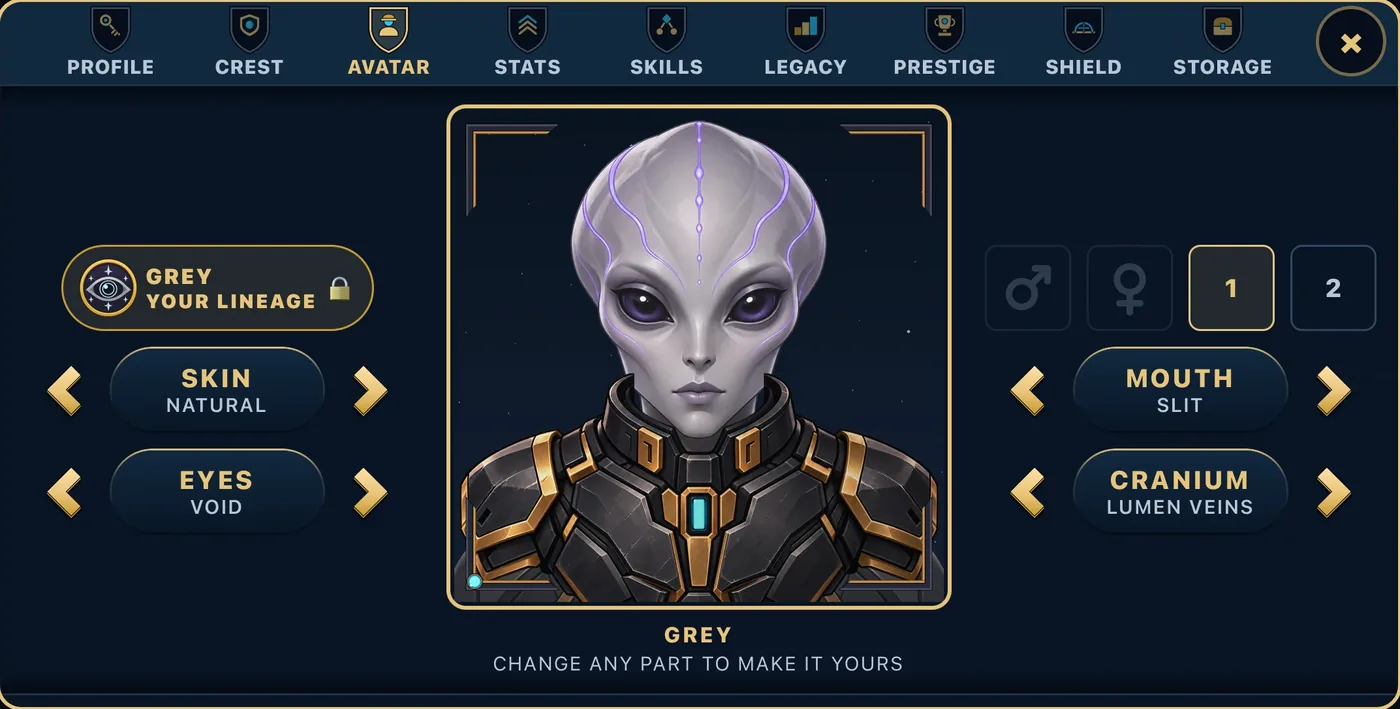
Every commander belongs to one of three lineages. A new commander chooses it when taking command, before the first world (section 2); a commander who started before lineages arrived is asked once, the next time they play. Your commander’s face follows the lineage: the portrait editor offers only your lineage’s faces. Each lineage plays differently, and each has a signature: one thing the other two do not have.
- Human: grow wide, build big. A stronger economy, ships that come off the line faster, extra salvage from the attackers who break on your worlds, and free capital moves each season. Signature, Settlers: Colony Ships cost less, and every new world you settle starts with a bigger Colony Hub.
- Reptilian: strike first, strike often. Harder-hitting fleets, faster attacks, Fighters that build quickly, and more metal and fuel from the ships you destroy. Signature, Ambush: scout a world yourself, attack it soon after, and your fleet hits harder. The attack panel tells you when an ambush is ready.
- Grey: know more, outlast everyone. Cheaper research, tougher defences on every world, scouts that see more of others while theirs see less of you, and a free shield each season. Signature, Long Watch: your shields last longer.
Choose the one that fits how you like to play. The choice is made once; you can convert to another lineage later from COMMANDER, for gold, and the new lineage starts with the next season. And somewhere out in the dark, a fourth lineage is stirring.
Your commander level and skills
Your commander gains experience mostly from combat: ships destroyed in battles you fight, whether you attacked or defended, with a bonus for winning. Fight an empire stronger than yours and you earn double. Raising an Extractor or Refinery pays a little too, and so do your objectives.
Every level pays a reward, collected for you when the level-up celebration opens and listed in REWARDS: metal, fuel, a little gold, some free Fighters, and one skill point. There is no level ceiling to worry about for now, and bonus gold waits at levels 50, 60 and 70.
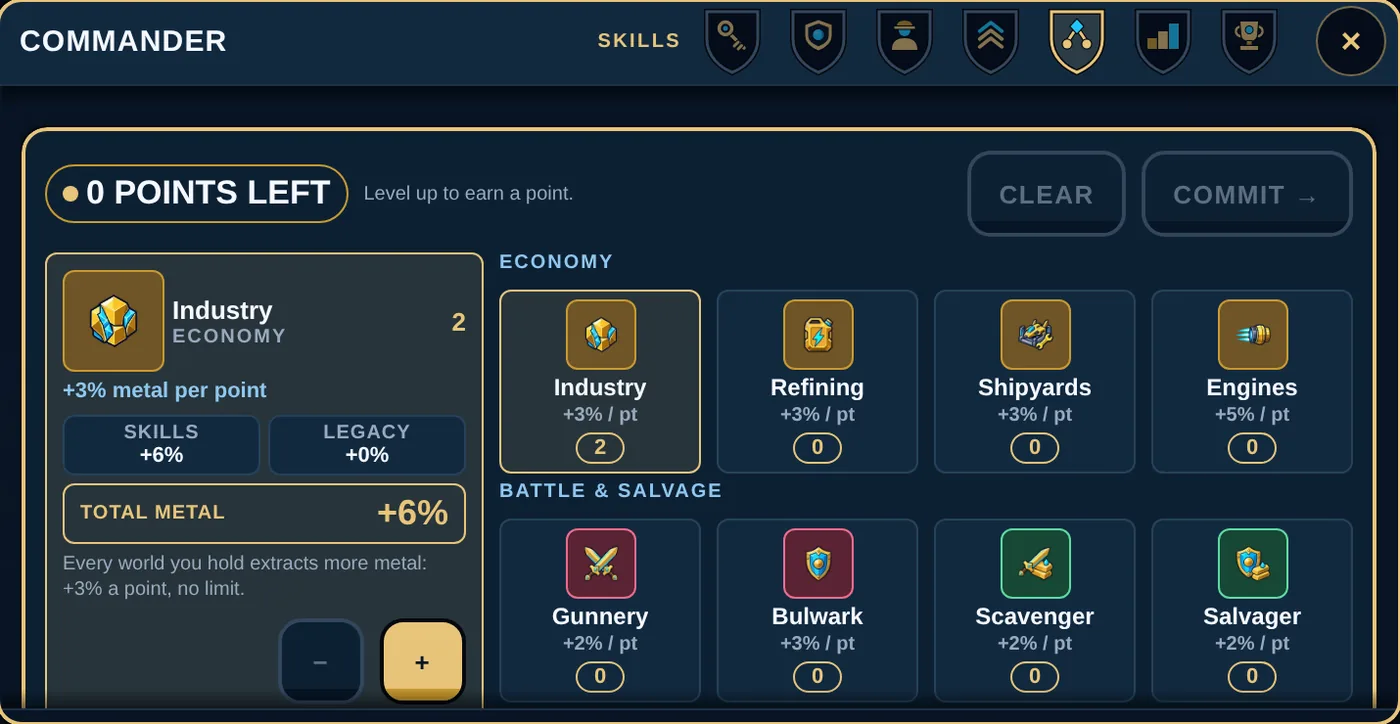
Skill points go into eight skills, and every point counts: there is no maximum rank. Nothing is spent until you press COMMIT.
- Industry +3% metal per point
- Refining +3% fuel per point
- Shipyards ships build 3% faster per point
- Engines fleets fly 5% faster per point
- Gunnery +2% attack power per point
- Bulwark +3% defence power per point
- Scavenger +2% metal and fuel from the ships you destroy when you attack
- Salvager +2% metal and fuel from the attackers you destroy when you defend
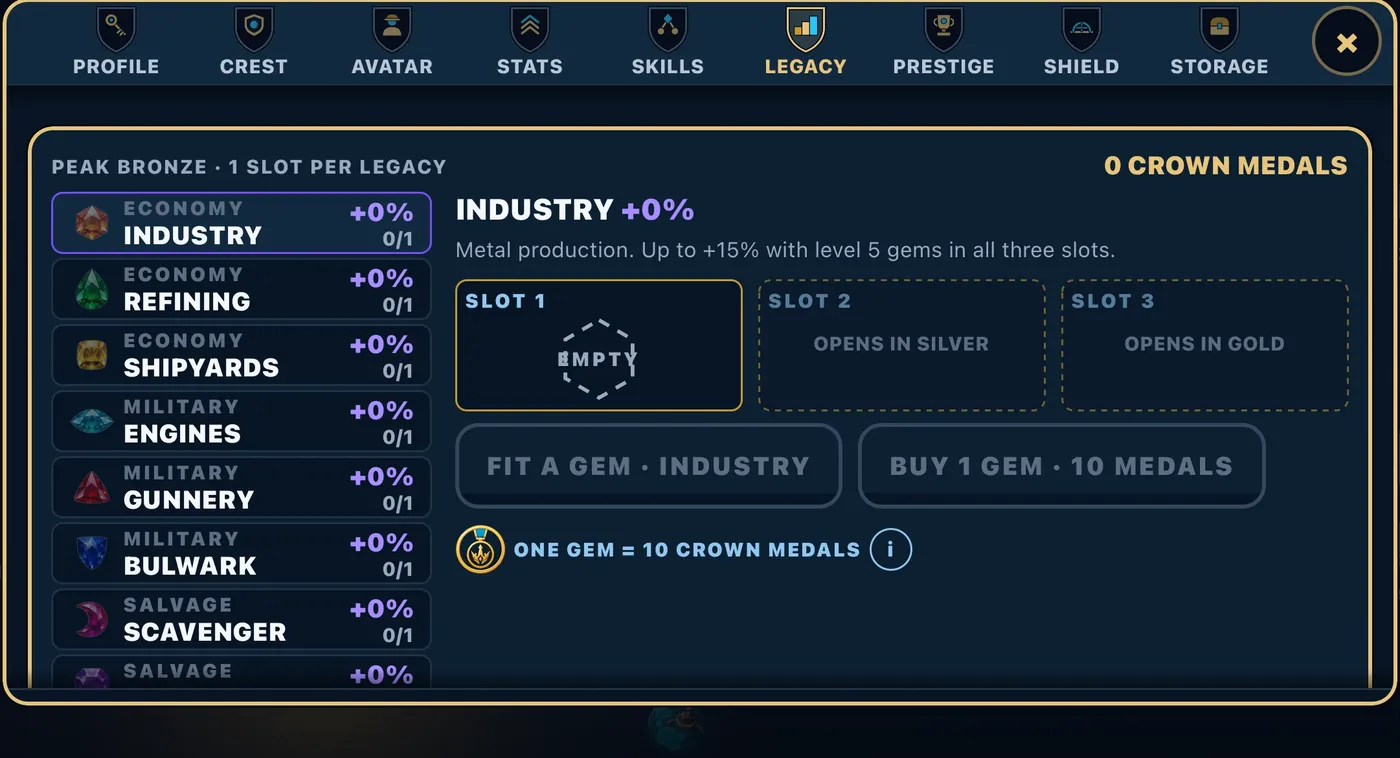
Points add up: two points of +5% are +10%. Your Legacy is separate and permanent: gem slots that match the eight skills, opened by the leagues you have reached. Gems are bought with Crown Medals or won at the end of a season, and every gem has a level: two identical gems make one gem of the next level (see Commander Storage, below). A fitted gem stays with you from season to season.
Gold and Crown Medals
Gold is earned by levelling up, by finishing well in a season, by objectives, and a little for every real win in battle. You spend it on conveniences: a display-name change after your free ones, the Regroup order, shields, and speed-ups. A speed-up takes 70% off the time left on a fleet flying home or to a world you hold, a salvage run, a shipyard order or a research level that is running; never on an attack, and at most two on one fleet, build or research level. They are 20 gold each in the STORE. Nothing in Crownfall is for sale for money yet.
Crown Medals are rarer, earned from season results, and they buy the Legacy gems above.
Commander Storage
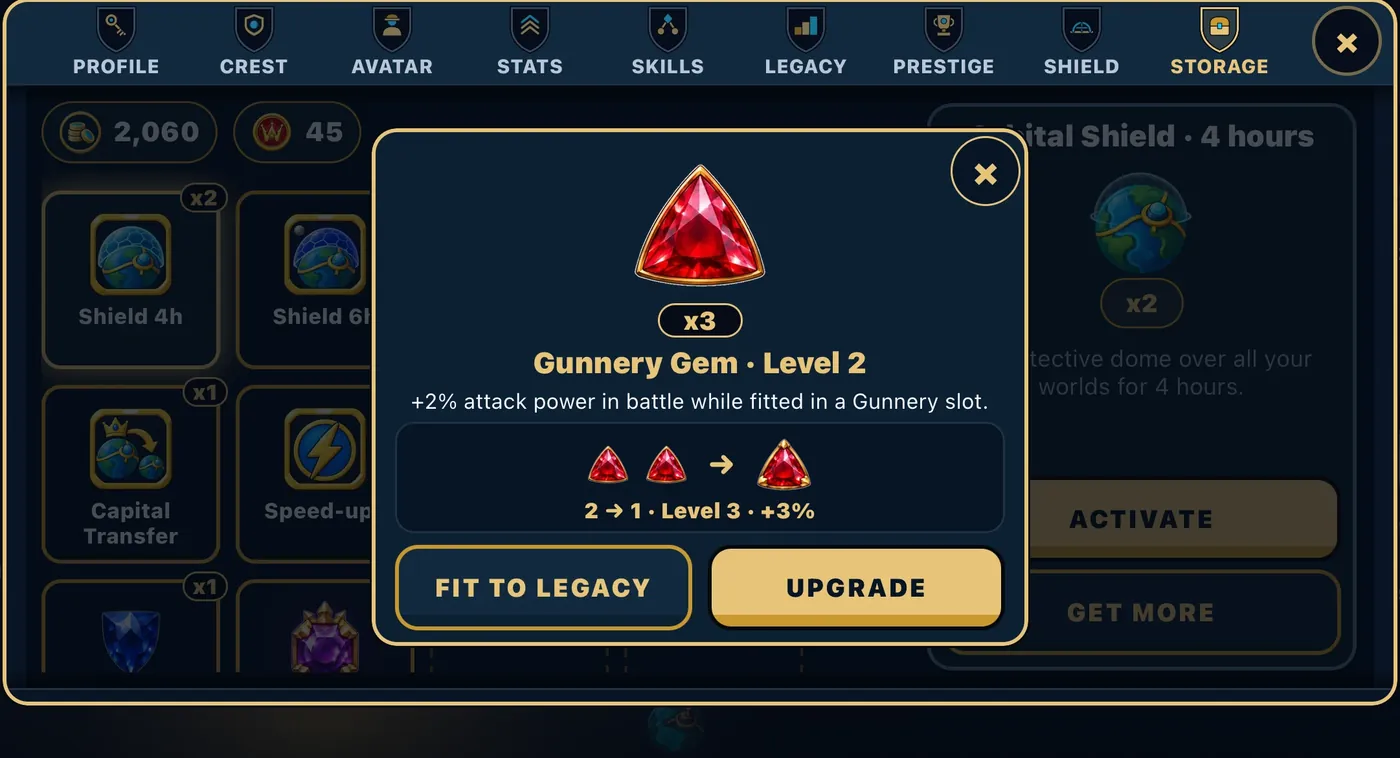
Everything you buy in the STORE lands in COMMANDER, then STORAGE, and waits there until you want it: shields, renames, a capital transfer, speed-ups and the rest. Tap an item and press ACTIVATE when the moment is right.
Your Legacy gems live in Storage too. Tap a gem and it opens in the middle of the screen: UPGRADE turns two identical gems into one gem of the next level, with a bigger bonus, and FIT TO LEGACY puts it in its Legacy slot.
The map is the game. These are what you keep.
Conquering worlds is the goal. Here is what actually lands in your account along the way.
Design your crest (free, always yours). Five choices and one preview in the Commander panel build a personal emblem that flies over your capital the moment you save it. It is part of the game itself — there is no purchase for it anywhere on the shop shelf.
Recolour the worlds you hold (twenty-one liveries). Every ordinary world you hold can wear one of twenty-one liveries, in Core, Rare and Showpiece tiers plus a run tied to the seasons.
 4. The galaxy, and why everything moves
The galaxy is one big map divided into hexagonal tiles, grouped into sectors and rings. Worlds sit on tiles. Some patches of space are asteroid fields or nebulae and fleets cannot fly through them, so a route sometimes bends around them. Your own worlds are never sealed in.
What you can see
Around your worlds is your turf, drawn on the map in gold. Anything flying inside your turf is visible to you. The moment it leaves, it is gone, and the game keeps no record of it.
There is one exception, and it is a big one: any fleet flying at a world you hold is always visible, wherever it is, and you are told who sent it and from which world. You get an alarm and a notification for an incoming attack. A scout heading your way is visible too, but quiet: no alarm.
Tapping any world on the map shows who holds it. It does not show what is parked there. For that you need a Scout.
Reading the map
Zoom in and every held world shows its holder's crest above it, with the world's Hub level on a small badge and, once you have scouted it, its power. The crest's frame tells you who they are to you:
- Teal — you and your clan. Green — your alliance. You cannot attack either, and the game says why.
- Pink — a commander below a third of your power. The attack would be punished and pay nothing (see section 6).
- Orange — a fair fight: anywhere from a third of your power up to your own.
- Dark red — stronger than you. Double experience if you take them on.
Everyone in a clan carries their clan's small badge too. And the rings:
- Gold ring with points on its sides — your capital.
- Violet ring with points on its sides — another commander's capital. It can never be attacked, so do not waste a fleet on it.
- Glowing cyan ring — a landmark: Vulkanos, Lyra, Vesper, Halcyon, Corvane or Solenne.
- Amber ring — debris floating there, ready to salvage.
- Rose ring — a world under attack.
- Plain gold ring — the world your fleets launch from, or the world you just tapped.
Tap a world and its box tells you where you stand. Your own worlds read HELD WORLD (your capital reads CROWN WORLD). A world that another commander holds reads OCCUPIED.
Travel time
Every fleet flies at the speed of its slowest ship. A long trip with slow ships can take a long time, and while a fleet is in the air it is not defending home. Flying between two of your own worlds is 10% faster. Every flight burns fuel, and longer routes burn more.
The order panel shows you the flight time, the landing time and the fuel cost before you press launch. Read it. Live events that speed fleets up are already counted in.
Most orders cannot be recalled
Once you launch an attack, a scout, a colony ship, a reinforcement or a salvage run, it flies. You cannot call it back. The only order that can be recalled in flight is Regroup (see section 7).
This is the whole game in one sentence: a commander who thinks before launching beats a commander who is simply online more.
How many fleets can you send?
As many as you like across the map. But you can only have 10 missions aimed at the same commander at once, and scouts and fleets on their way home both count.
Being away
Life happens. If you are away, your worlds keep producing, and any world with auto Fighters switched on keeps quietly building Fighters out of a slice of its own metal for up to three days. Turn it on for your capital.
Asterra is not a map. It is a struggle for power.
Every world has value. Every movement reveals intent. Every neighbour can become an ally, a shield—or the architect of your fall.
Six landmarks. Landmarks produce no metal or fuel and nothing can be built on them. Hold one and its perks reach you and every commander in your clan and alliance.
 5. Your fleet
Seven kinds of ship. Here is what each is for.
| Ship | For | Speed | Power | Cost (metal / fuel) | Build time |
|---|---|---|---|---|---|
| Scout | Looking, never fighting | 200 | 8 | 90 / 30 | 8 s |
| Fighter | The everyday warship | 115 | 55 | 180 / 70 | 12 s |
| Cruiser | Breaking a world's walls | 95 | 90 (260 against the Hub's walls) | 420 / 180 | 35 s |
| Recycler | Collecting debris | 75 | 3 | 300 / 140 | 18 s |
| Colony Ship | Claiming a world | 70 | 0 | 1,200 / 500 | 30 s |
| Battleship | Heavy fleet fights | 60 | 320 | 900 / 400 | 90 s |
| Titan | A flying fortress | 30 | 2,400 | 12,000 / 6,000 | 15 min |
Bigger ships need a bigger Shipyard, a bigger Research Lab and more Fleet Engineering research, all at the same level: Scout needs level 1, Fighter and Recycler level 2, Cruiser and Colony Ship level 3, Battleship level 4, Titan level 5. A fleet carries at most one Titan.
A note on the Cruiser. Its ordinary power is modest, but against a world's own defence, the walls its Colony Hub gives it, it hits with 260 per ship. That is its job. Bring Cruisers to crack a high-level world. Bring Fighters and Battleships to fight ships in orbit. If you send Cruisers against a big docked fleet, they will disappoint you.
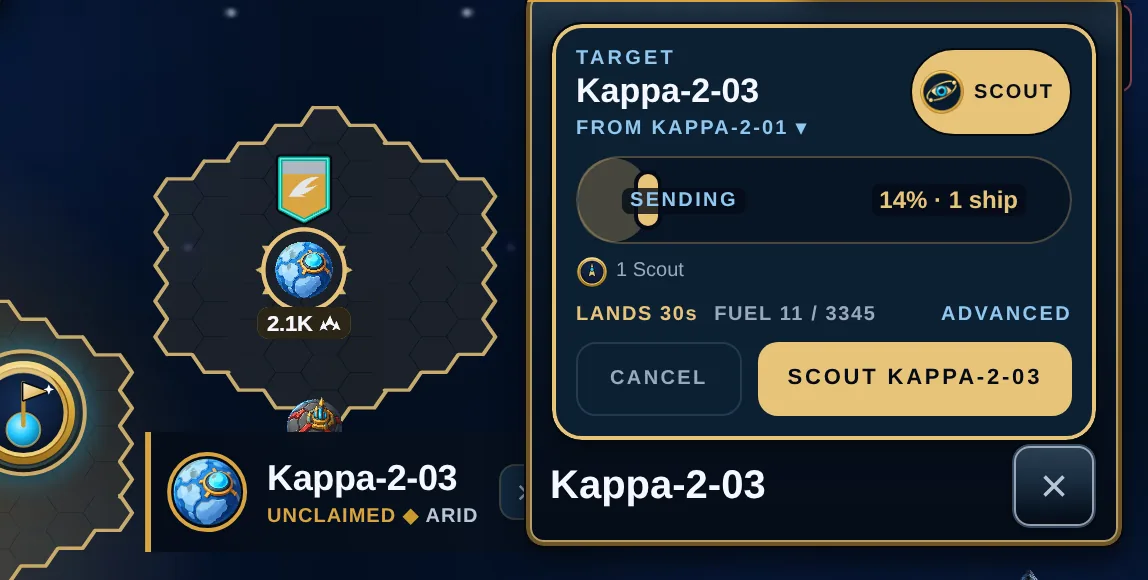
Scouts are cheap and fast and cannot fight. One Scout buys you one look at one world. Send 10 or more and the report comes back one step clearer; 30 or more, two steps clearer. Scouts can take a report as far as Exact, never to Full: only Intelligence research reaches that.
Recyclers cannot fight either. They are the only ship that can pick up debris (see section 6). Each one hauls a fixed load home.
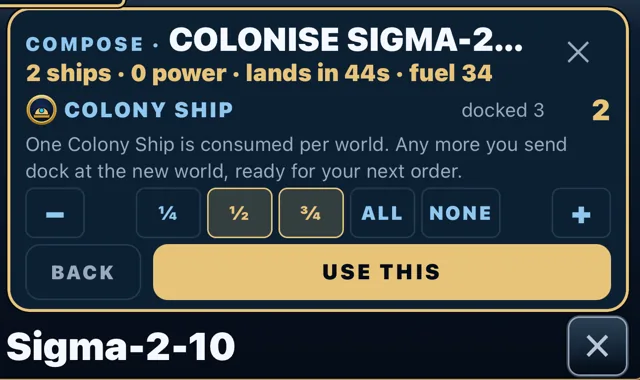
Colony Ships claim worlds. Taking a world uses one; any more you send stay docked at the new world, ready for the next jump. Under ADVANCED you choose how many go.
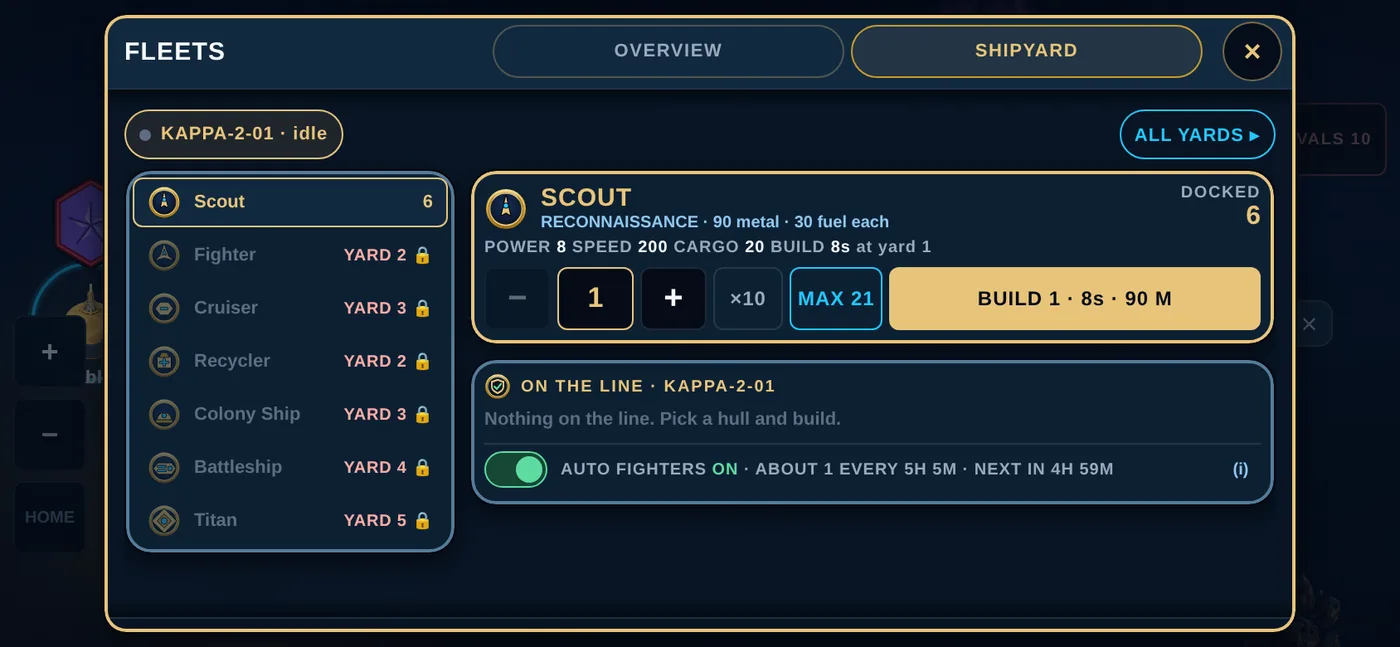
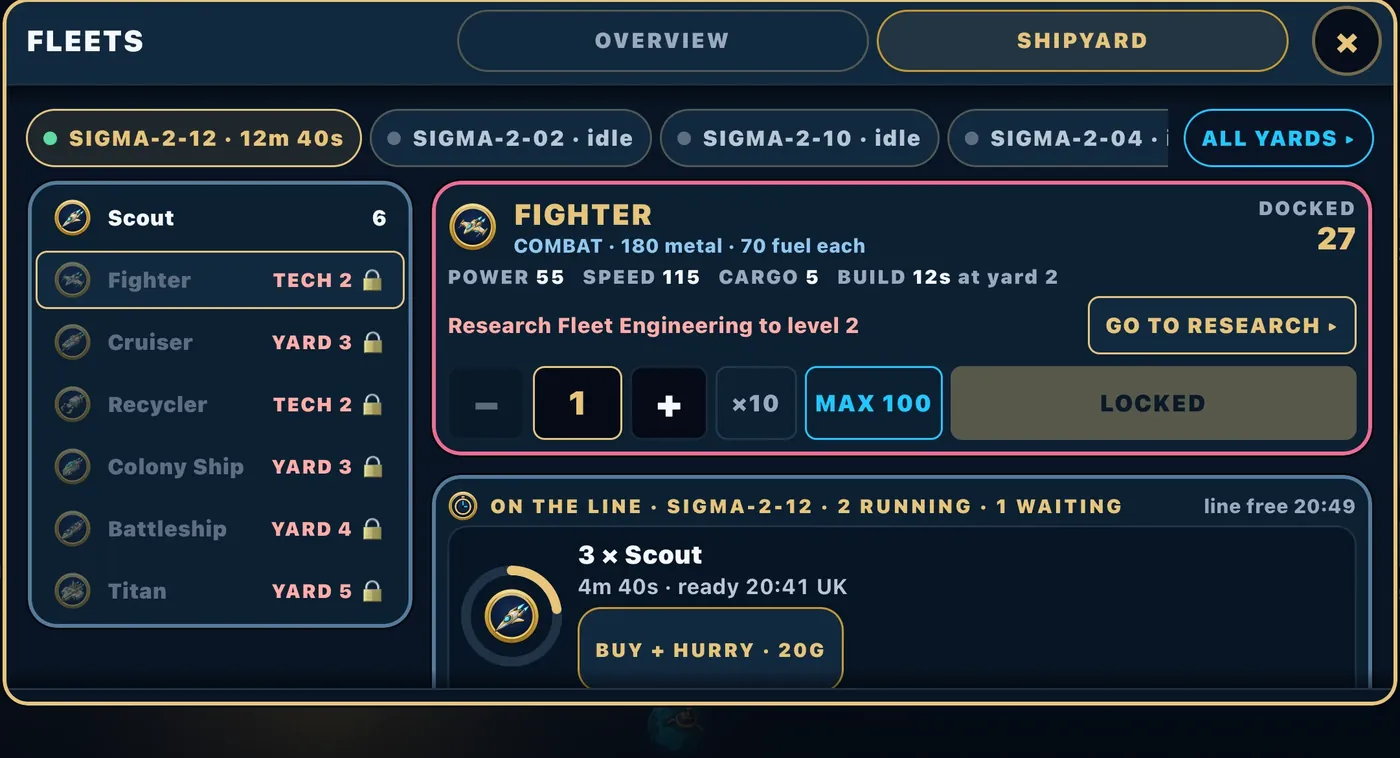
The shipyard queue. Every world’s shipyard builds two orders side by side, and more can wait in line behind them. The SHIPYARD tab shows what is on the line at that yard and when it will be free; a yard you have not built far enough tells you exactly what to research or raise, with a button that takes you there.
The orders
Tap a world and you will see the orders that make sense for it:
- SCOUT — send Scouts to learn what is there.
- ATTACK — fight whatever defends the world. If a Colony Ship is docked at the world you send from, one rides along on its own, so a won attack takes the world. It stays home when the target is a capital (they cannot be attacked) or a landmark (no Colony Ship needed), and you can press CLEAR on its row under ADVANCED to fight without taking.
- COLONISE — claim an empty world.
- REINFORCE — move ships to another of your worlds and dock them there.
- GUARD — station ships at a world so they defend it. A guard that has arrived can be recalled home.
- RECYCLE — send Recyclers to a debris field. Only appears where there is debris.
- REGROUP — gather your fleets from several of your worlds so they arrive together (section 7).
You can also intercept an enemy fleet in open space while it is still flying, if you can reach it in time.
Every ship has a purpose. Every order has a cost.
These are the live roster values—not decorative ratings. Compare speed, attack, defence and hold capacity before you commit the fleet.
Build the Titan. Become the threat.
The Titan is not a planet. It is a mobile fortress: the slowest hull in the roster, carrying 2,400 attack and 2,400 defence into a contested orbit.
- Role: mobile fortress
- Combat: 2,400 / 2,400
- Build: 12K metal · 6K fuel
 6. Fighting
How a battle is decided
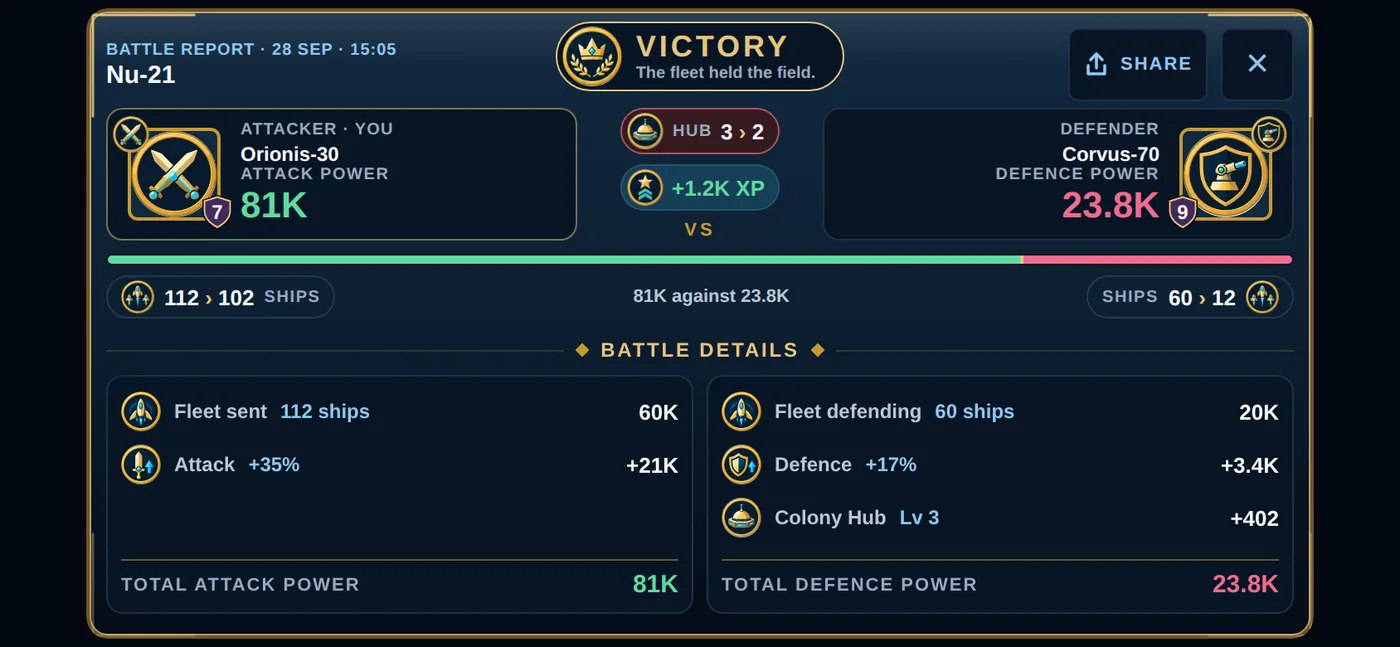
Simple: the higher total power wins. A tie goes to the attacker.
The attacker's power is the sum of the ships it brought, plus its attack bonuses. The defender's power is every ship parked ("docked") or on guard at that world, plus the world's own walls: its Colony Hub gives it a fixed amount of defence per level even with nothing docked, and a small share of everything that stands there on top. The more of a world's defence comes from its walls, the more the attacker's Cruisers count.
Your skills add on top: Gunnery for the attacker, Bulwark for the defender.
What you lose and what you keep
Losses depend on how close the fight was, not on a fixed rule.
- The winner loses up to half their fleet in a perfectly even fight, and almost nothing in a one-sided one.
- The loser loses at least 60% in an even fight, and everything in a hopeless one.
But "losing" a ship is not the end of it. Most of the ships knocked out of a battle limp home to your capital. Only a fraction are destroyed outright, and half of what is destroyed is left behind as debris, which any Recycler can collect. A destroyed Titan leaves a lot of debris. A destroyed Scout leaves almost none.
Attacks do not steal your resources. Nobody can take your metal and fuel. What a battle produces is debris, and debris goes to whoever collects it first.
Scout before you attack
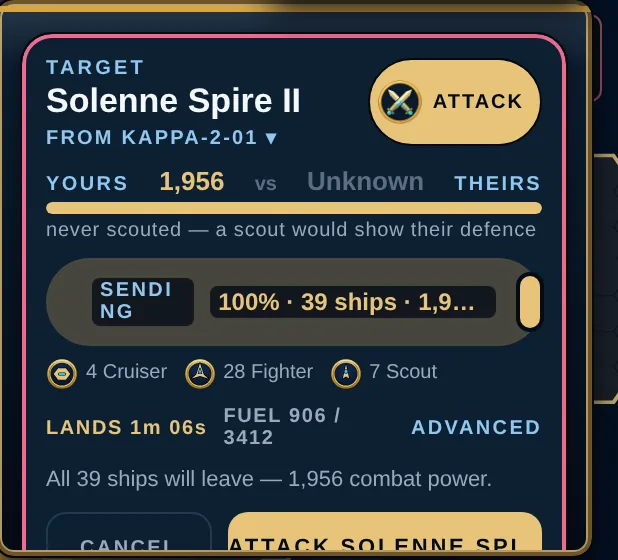
If you have scouted a world, the attack panel compares your power to what the scout measured, and warns you in red if you might lose. If you have not scouted it, you get no warning at all. That is on purpose. The scout report is a snapshot, so a week-old one may be wrong.
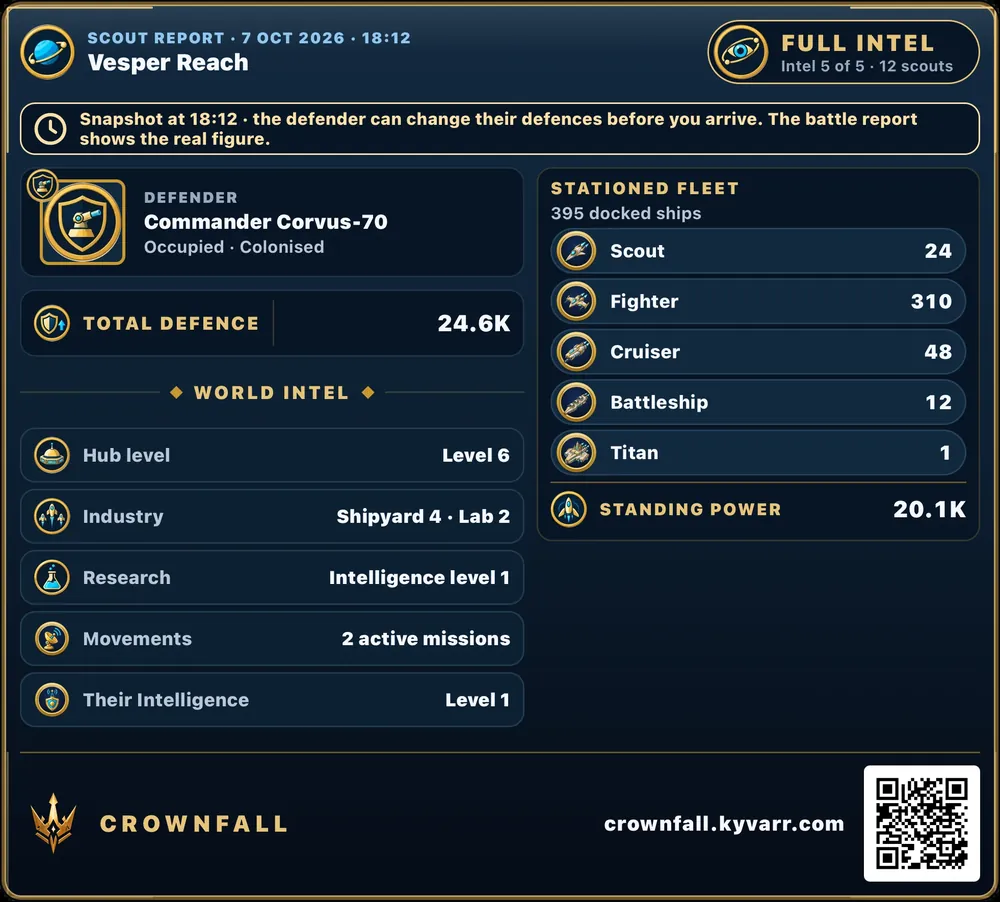
A scout report comes back at one of five steps: Obscured (nothing), Basic (the world's level and how many ships are docked), Detailed (shipyard, lab and the world's total defence), Exact (the exact make-up of the fleet, their research and the world's standing power) and Full (everything, plus the fleets that world has in flight).
Which step you get depends on your Intelligence research against theirs, and on how many Scouts you send:
- With equal research, one Scout brings back Detailed. Each level you have above them is one step clearer; each level they have above you is one step darker.
- 10 or more Scouts add one step, 30 or more add two. But Scouts never go past Exact.
- Full is research alone: you need two Intelligence levels more than your target.
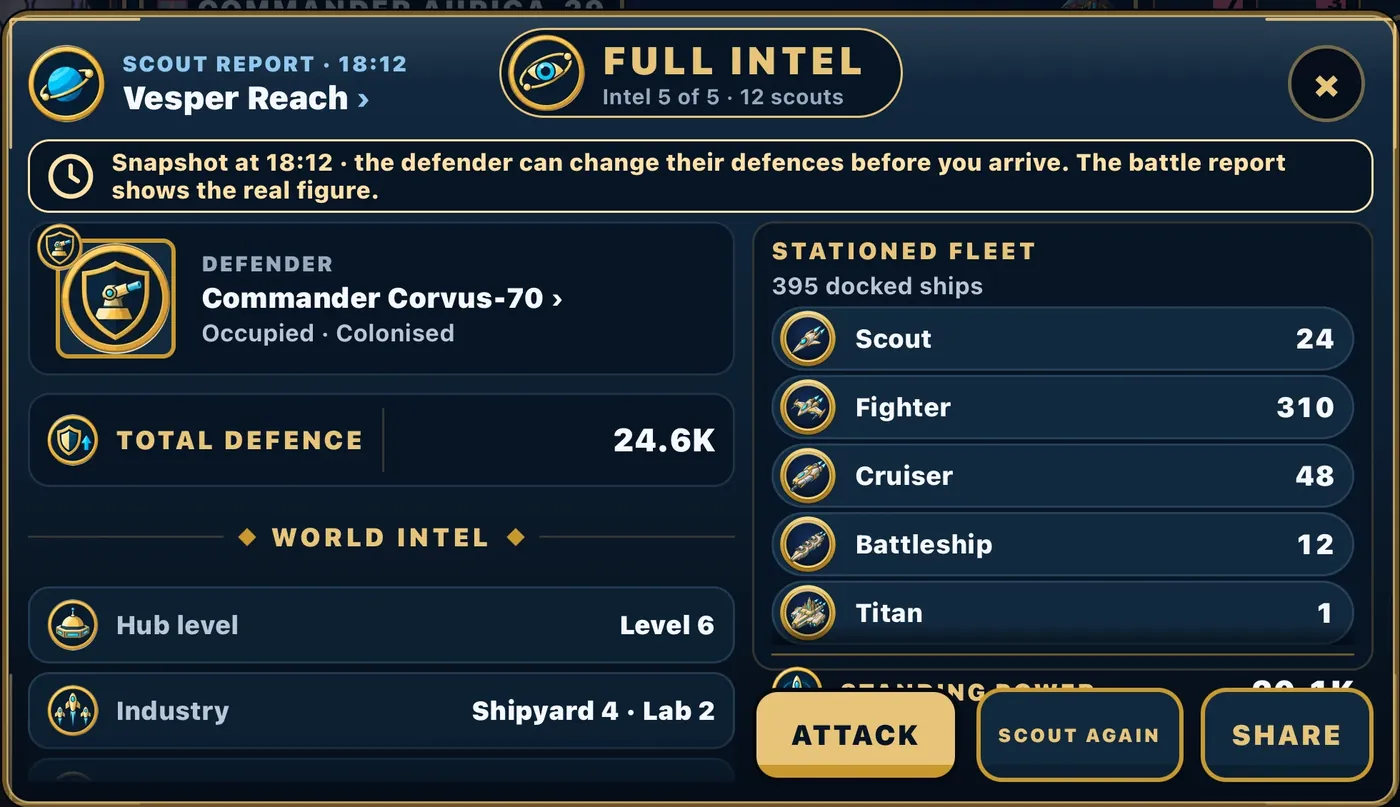
A report gives you the world’s total defence as one figure: everything that guards it, added up. A line your Intelligence cannot reach yet reads CLASSIFIED and tells you to upgrade Intelligence to see it. Every report is stamped with the moment it was taken, because the defender can change things before you arrive; the battle report always shows the real figure. A scout report never shows anyone’s metal, fuel or gold.
Found something your clan should see? Press SHARE and the report becomes a picture card, with a QR code, ready to send.
Taking a world
Win an attack with a Colony Ship in your fleet and the world becomes yours, with everything built on it. Colony Ships are never lost in a winning battle; one is used up claiming the world. Lose the battle and it is lost with the rest of the fleet. If you already hold 25 worlds, you win the fight but do not get the world. Landmark worlds (Vulkanos, Lyra, Vesper, Halcyon, Corvane, Solenne) are the exception: win the fight and they are yours, no Colony Ship needed. A captured world loses one Hub level as it changes hands.
The commander who lost the world is always told, by name.
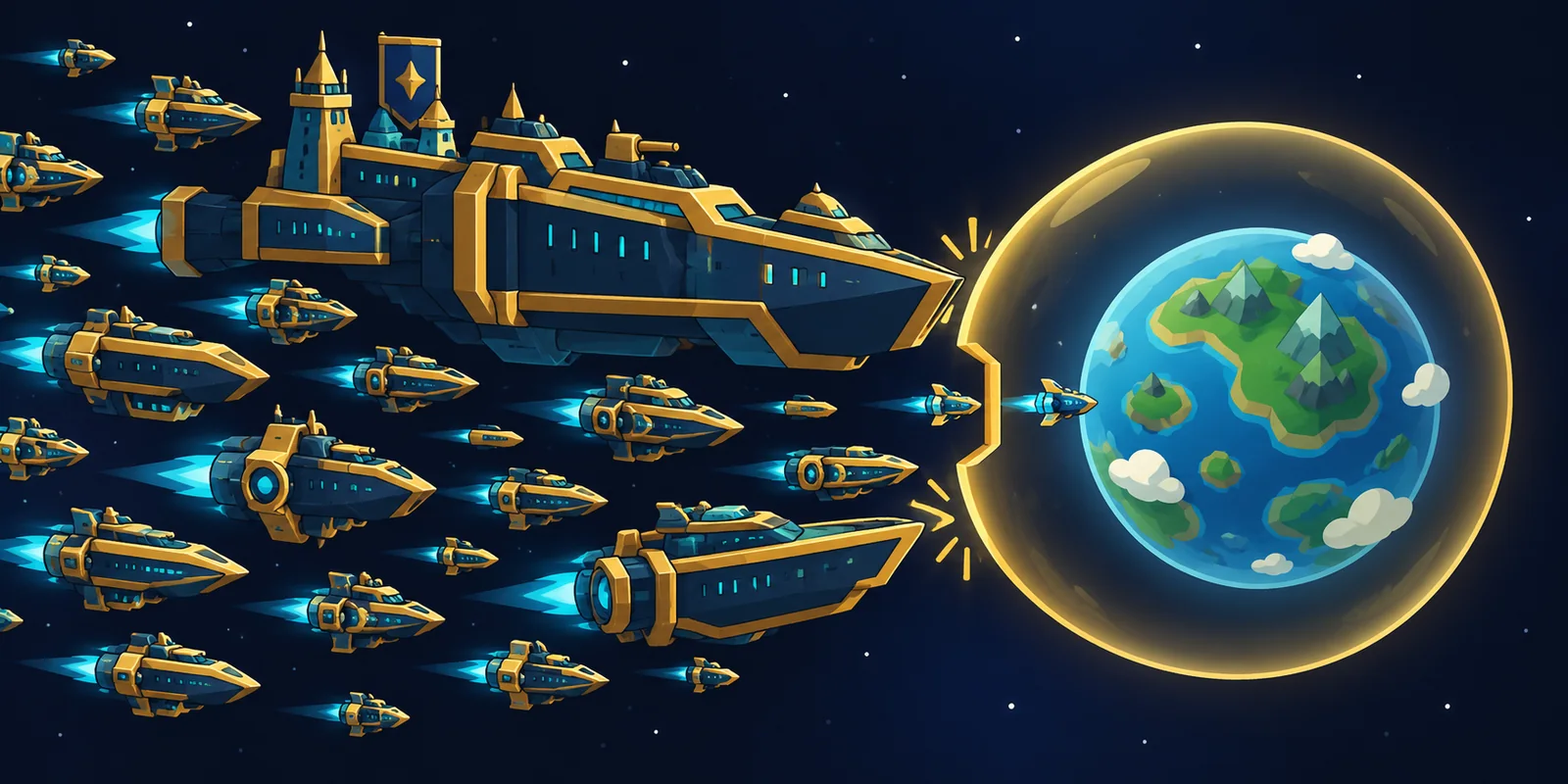
Punching down: a world only admits so much power
Between commanders of similar strength there is no limit: send the whole fleet. But when your target is far below you (under about a third of your power), the world you attack admits at most 1,200 combat power per Hub level, and half that against the very weakest. Bring more and the rest is refused at launch. At a Hub 1 world that is about 21 Fighters' worth, and not even a single Titan (2,400) can get in. A Hub 5 world admits 6,000; a Hub 10 world, 12,000.
So a huge fleet cannot simply flatten a small commander's worlds. It keeps young empires safe from monsters, and it means the higher a world's Hub, the more can be thrown at it.
Fair fights pay. Bullying does not.
What an attack pays you — experience, season points and win gold — depends on how strong the defender is compared with you:
Hit someone far below your strength and you get nothing at all, and they get double experience for every ship of yours they destroy. Recapturing a world that changed hands only a short while ago pays nothing either, so passing a world back and forth earns nobody anything. The attack screen tells you what a target will pay before you launch.
The protections every commander has
- Your capital can never be attacked. Not by anyone, not ever. Your home world is safe for the whole game.
- The bully floor. Nobody can attack a commander whose total power is below 10% of their own. The attack is simply refused. Between 10% and 30% the attack is allowed but punished: the world admits only a capped force (above), the flight takes half as long again, the losses are a fifth heavier, and it pays nothing. From 30% up it is a fair fight. A weaker commander can always attack upward.
- Inactivity. The floor stops shielding a commander who has not played for 5 days. Log in.
Shields
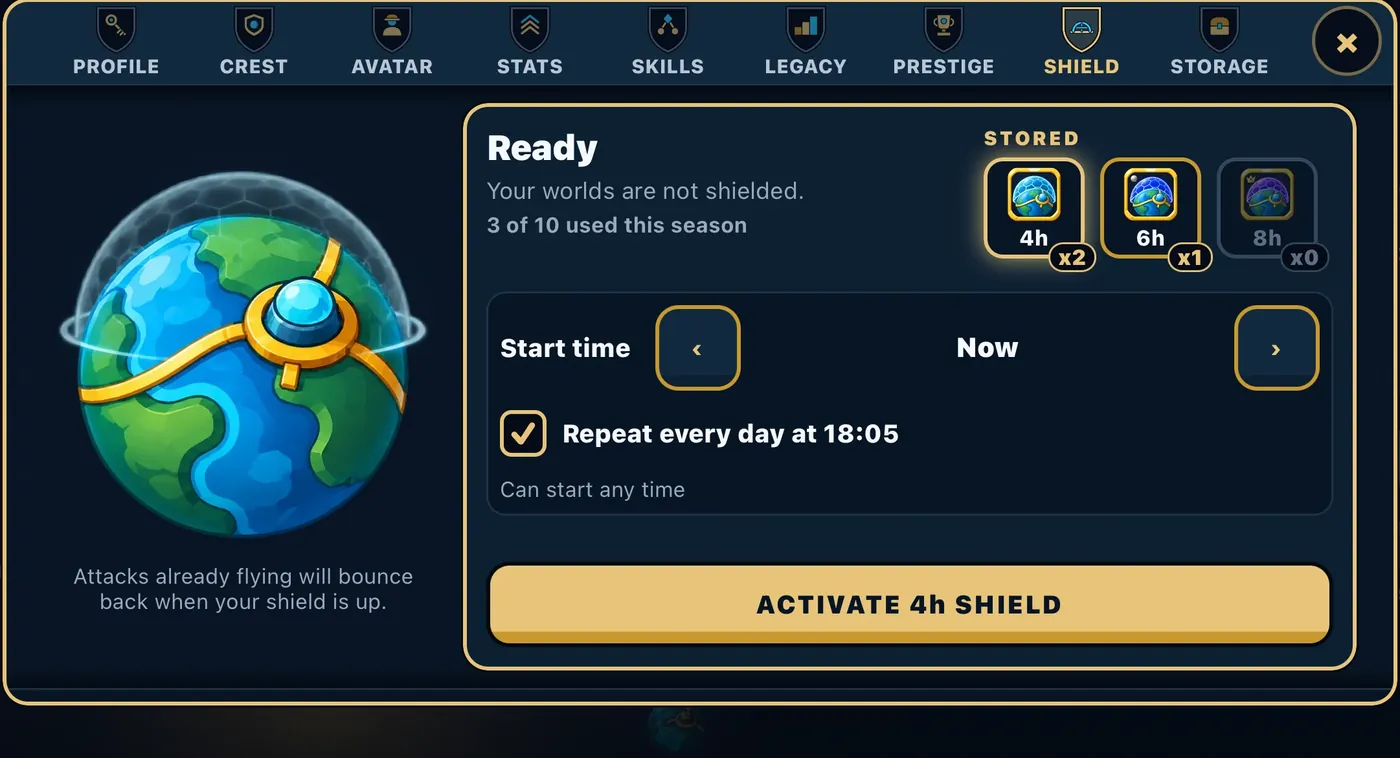
A shield covers all your worlds for 4, 6 or 8 hours. Buy one in the STORE and it waits in your Storage; then open COMMANDER, then SHIELD to raise it now or schedule it for later. Tick Repeat every day and it goes up again at the same time each day, as long as you have a shield of that length stored.
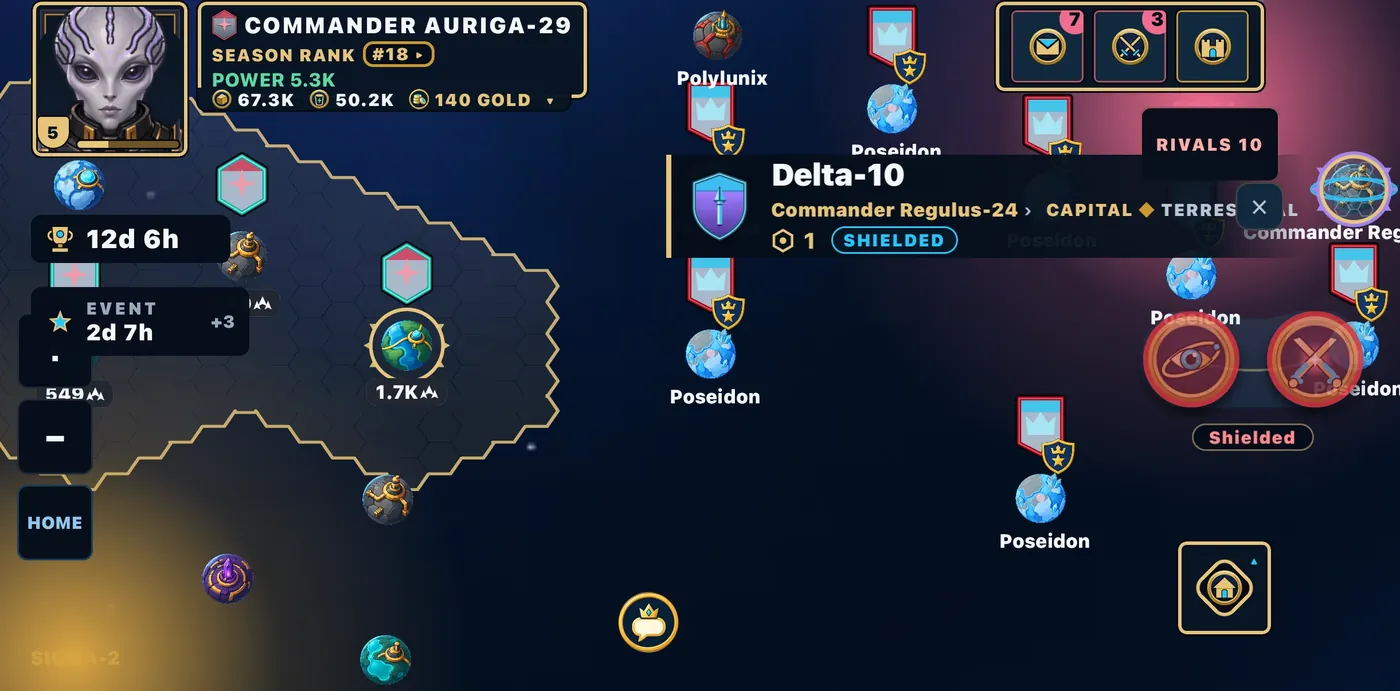
While your shield is up, nobody can attack or scout your worlds, and no rally can be aimed at them. A fleet that was already flying at you when the shield went up turns back for home when it arrives, with no fight. On the map a dome covers your worlds, and other commanders only see that you are shielded, never for how long.
It works both ways: while your own shield is up, you cannot attack, scout or join a rally yourself. Moving ships between your own worlds and colonising still work. After a shield ends there is a rest before the next one, so you can raise one again later the next day.
Defending a world
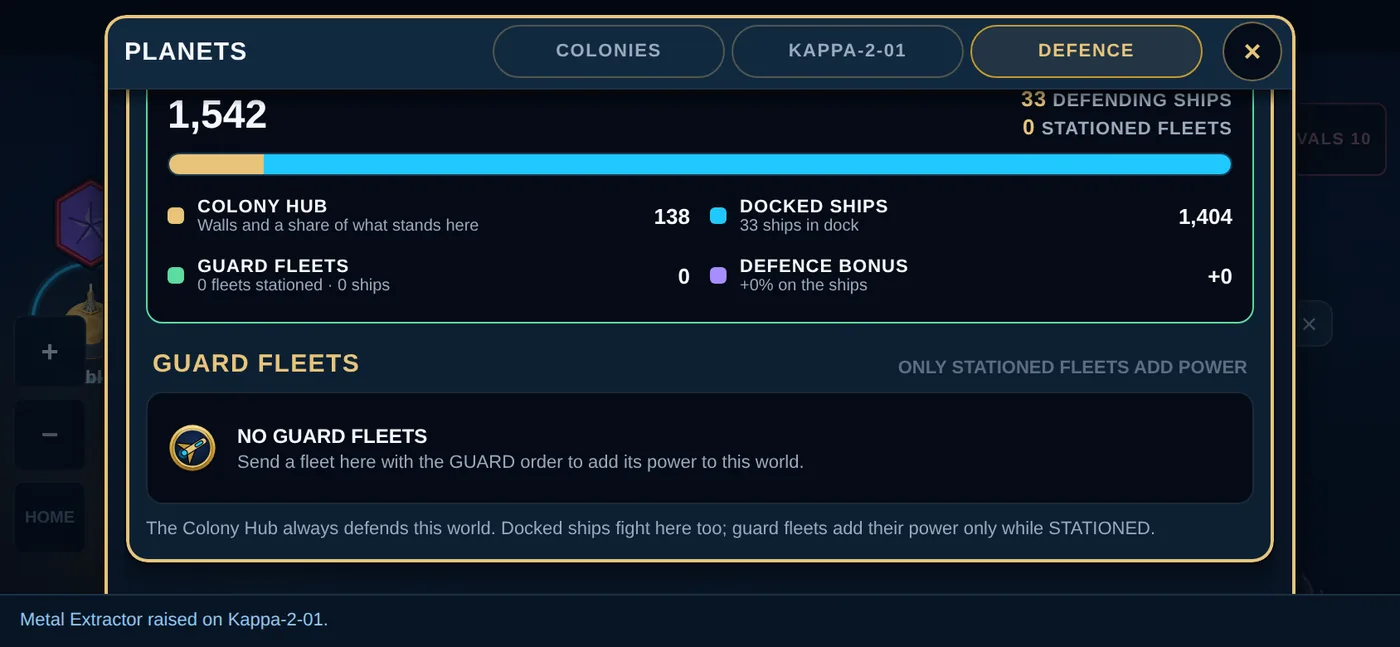
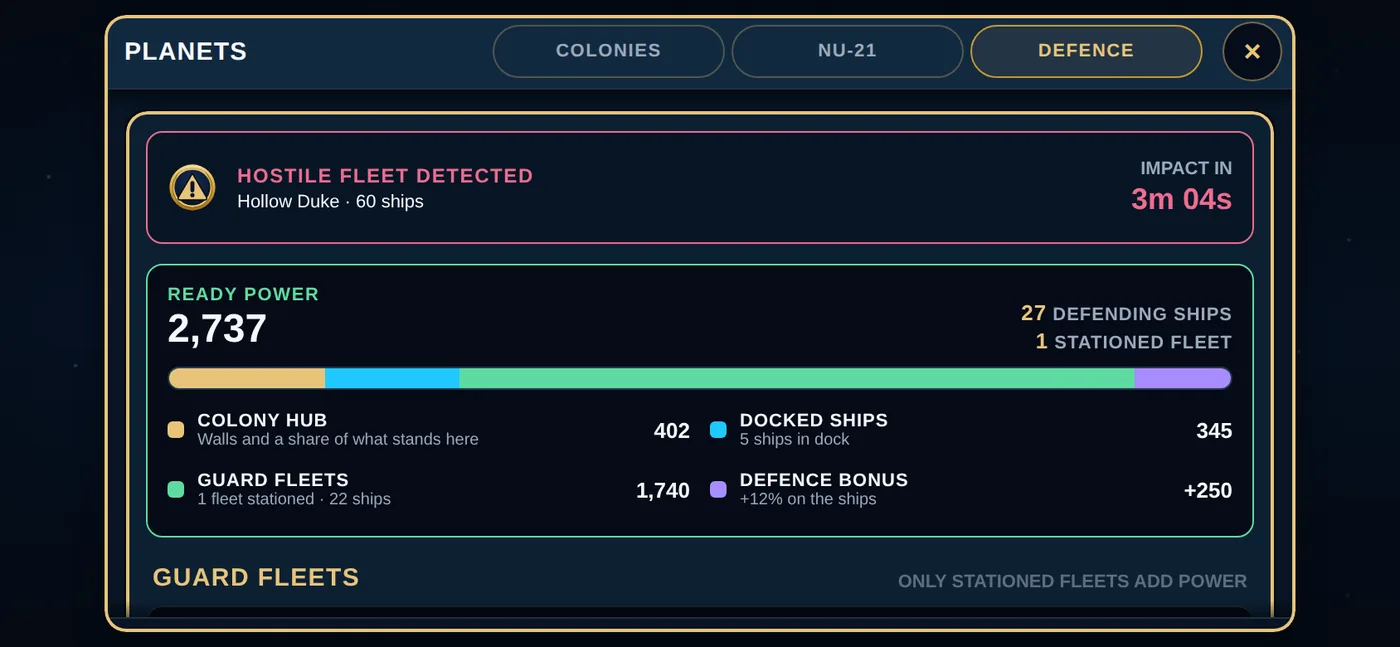
Besides a shield, four things defend a world: the ships docked there, any guard fleets stationed there, its walls (the Colony Hub's own defence, which grows with every Hub level), and auto Fighters quietly building in the background. The DEFENCE tab under PLANETS shows all four, and the countdown when a hostile fleet is on its way.
 7. Playing with other people
Clans and alliances
A clan is a small group of commanders. An alliance is a group of clans. You can be in one clan, and your clan can be in one alliance.
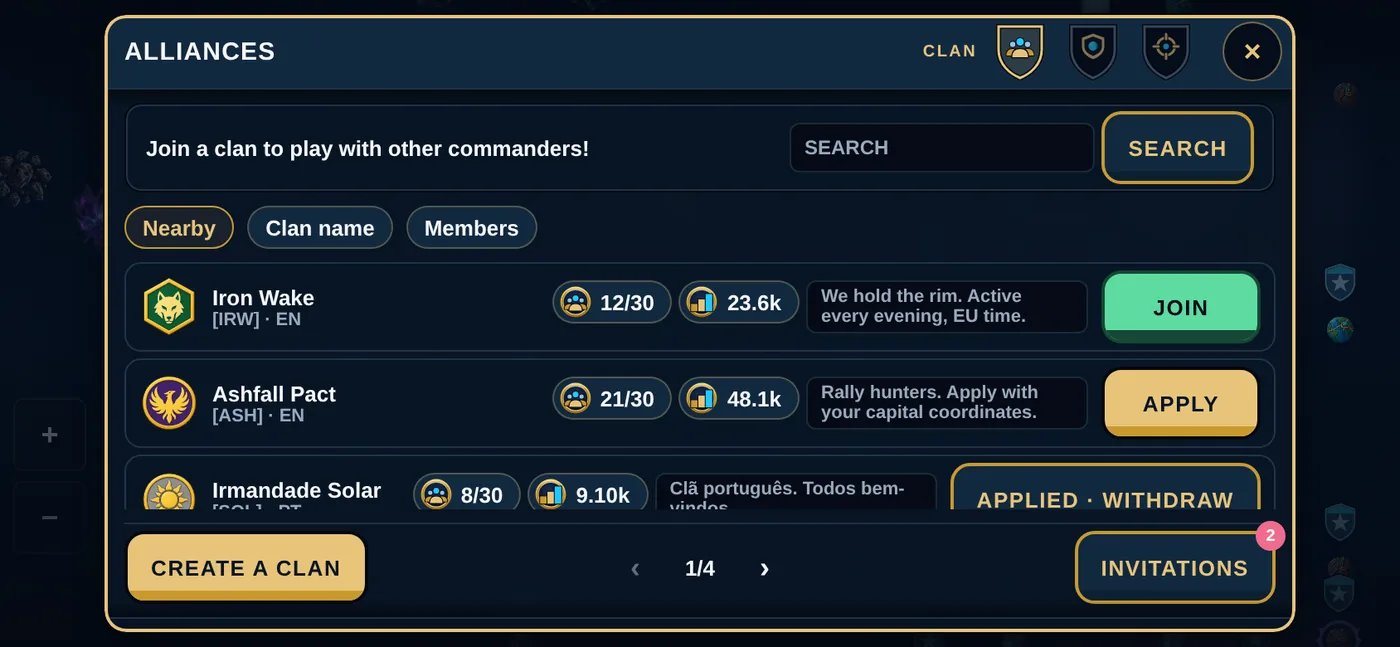
Open ALLIANCES, then CLAN, to find a clan: search by name, or browse the ones nearby. Each clan sets how it takes people in: Open to join (tap JOIN and you are in), By approval (tap APPLY and the leader or an officer decides), or Invite only. Invitations and applications wait on the same screen. If you would rather start your own, any registered commander can found a clan: pick a name (3 to 32 characters), a short tag (2 to 5 capital letters or digits) and one of the crests.
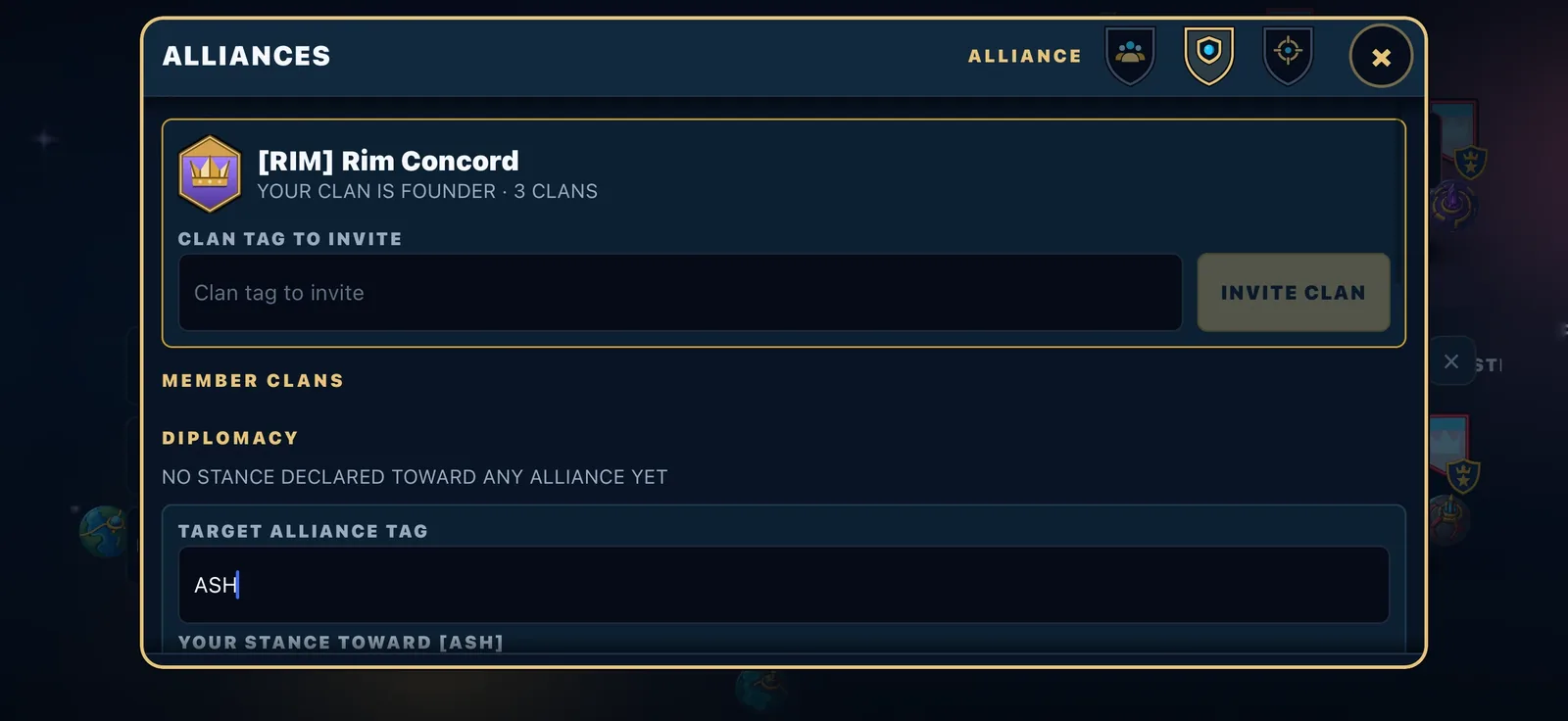
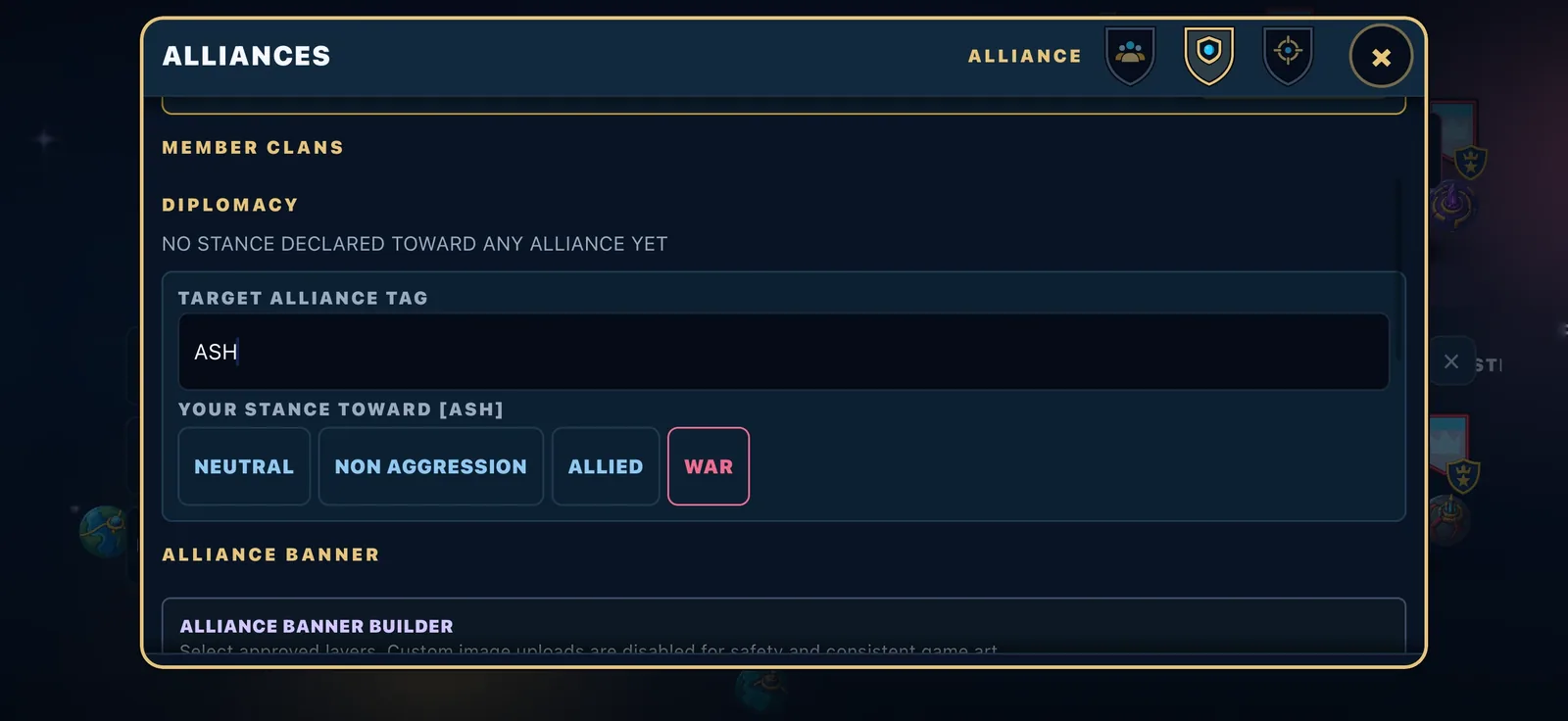
Clans have a leader, officers and members. Alliances have a founder, a council and member clans, and can declare their relations with other alliances: neutral, non-aggression, allied or war. Clanmates and allies cannot attack each other; set war from the alliance panel first.
Clans and alliances each have their own leaderboard, adding up their members' season scores. The clan page shows when each member was last active.
Every clan has a short public description that anyone can read on its clan page: who you are, when you play, what you want. Leaders keep it up to date.
Clan wars: the whole clan votes
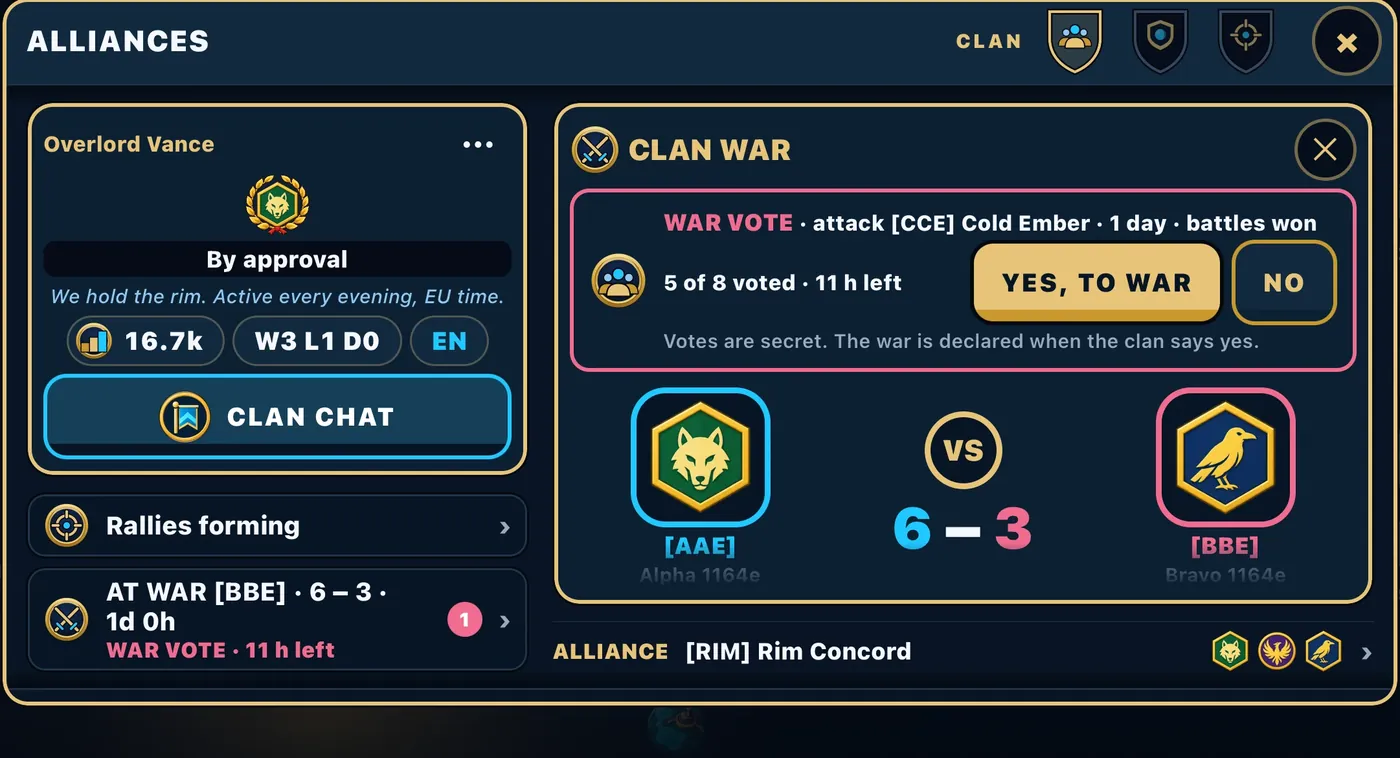
A clan goes to war together. When the leader proposes a war on another clan, it first goes to a vote inside your clan: every member gets one secret vote, YES, TO WAR or NO, and the majority of the votes cast decides, as long as enough members vote. The vote stays open for a limited time, and the leader can withdraw it. Only if your clan says yes does the other clan hear about it, and its leader answers.
Once a war is on, the CLAN WAR panel keeps the score between the two clans, the time left and who is fighting hardest. Press JOIN THE FIGHT to play your part.
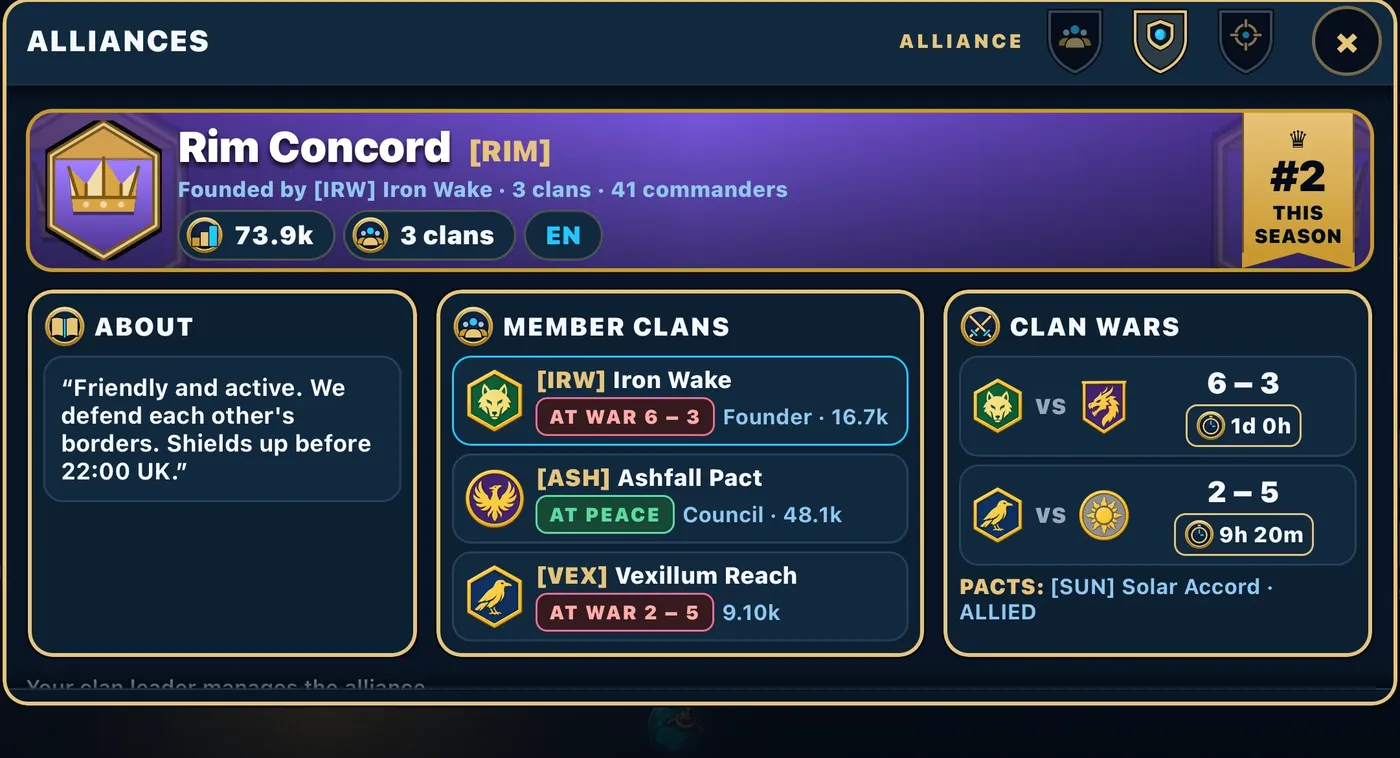
Your alliance hub (ALLIANCES, then ALLIANCE) puts the whole alliance on one screen: its banner and rank this season, what it is about, every member clan and whether it is at war or at peace, the clan wars under way and the pacts it has made. Alliance leaders can edit the banner and the description from there.
Chat
Three channels float over your map: Global, Clan and Alliance. In Clan and Alliance chat you can point at a world: press and hold it on the map and choose MENTION, and anyone who taps the name flies there. You can block anyone, turn on a profanity filter, and set auto-translate to your language in SETTINGS.
The rally: how a clan hits together
On the ALLIANCES screen, the RALLIES tab is your clan's war room.
Anyone in the clan can open a rally: name a target world (type its name to find it) and a launch time up to 24 hours ahead, and optionally open it to the whole alliance. Everyone sees it on the board. Members tap JOIN, and a chat thread hangs off the rally so you can plan it. The card shows the target, its coordinates, who called it, how many joined and a countdown. If nobody joins by launch time, it quietly cancels itself. When it launches, everyone who joined gets a notification that the window is open.
Now the important part. The rally board is the plan. The launching is you.
Each member flies their own fleet, from their own world, and times their own launch so that they land together. A fleet from a near world leaves later; a fleet from a far world, or a slower fleet, leaves earlier. The order panel shows you your flight time before you launch, so you can work it out.
This is the real skill in Crownfall. A clan that reads the map, agrees a time, and lands five fleets in the same minute is a terrifying thing. And the defender sees five separate fleets coming and gets five separate alarms, never a single "coalition" warning, because the game never guesses.
Rallies that launch count toward season score too.
Regroup: arriving together, by yourself
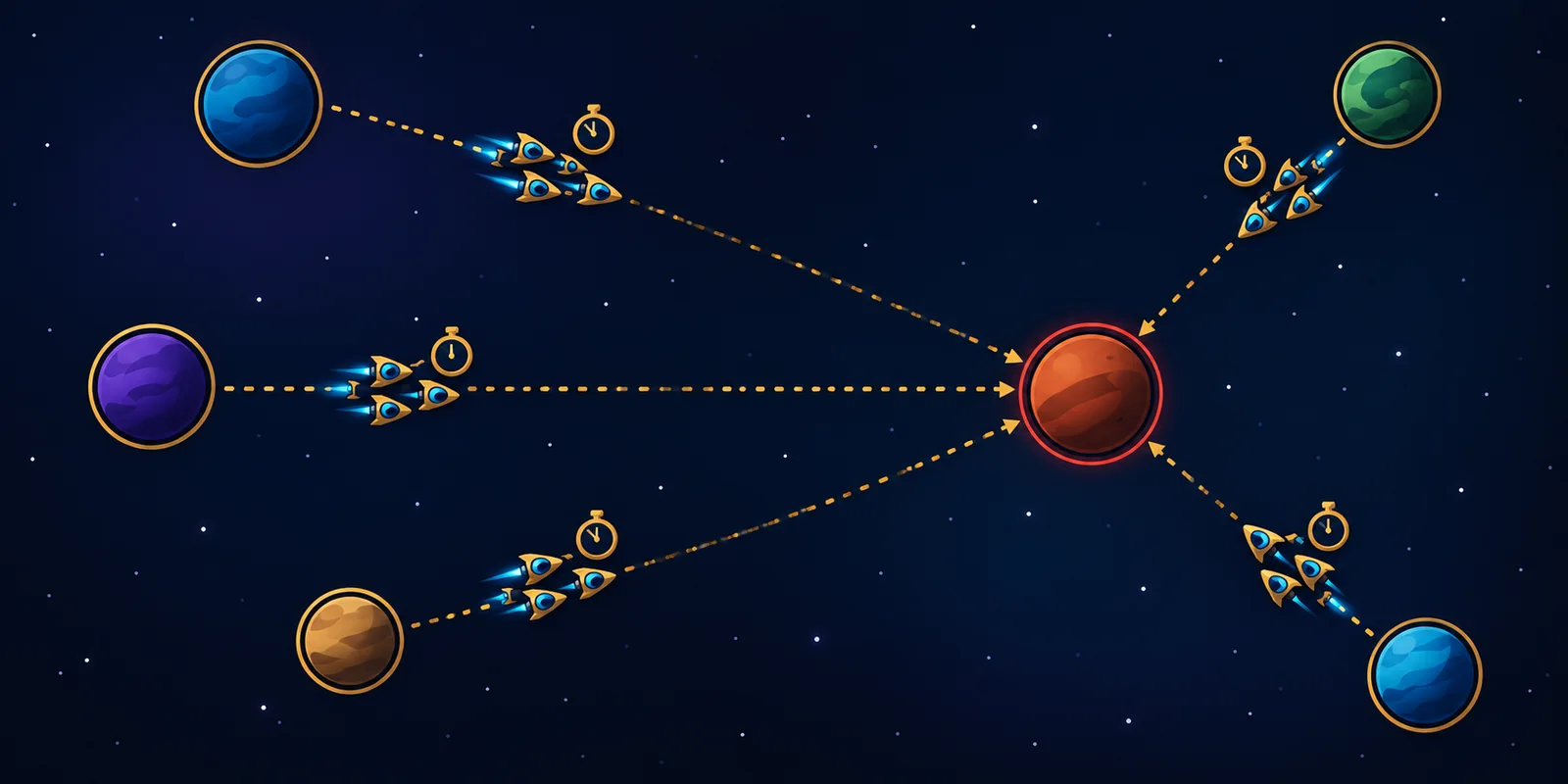
Regroup is a different thing, and it is for one commander alone. Press REGROUP on a world you hold, and every one of your worlds within range sends its docked ships to it. They all depart at once and all arrive at once: the closer fleets are held to the pace of the furthest one. Scouts and Titans never join a regroup.
It costs 2 gold, flies 75% faster over your own ground, and is the only order you can recall mid-flight. Use it to gather your strength at a border world before a big attack, or to rush defenders to a world that is about to be hit.
Power is social: no empire wins alone.
Found a clan. Invite rival clans into an alliance. Vote together on going to war, set diplomacy, share private channels and coordinate timed rallies. In Crownfall, a banner is a weapon.
 8. The season
Leagues







There are seven leagues: Bronze, Silver, Gold, Platinum, Diamond, Master and Legend. Everyone in a league competes on the same board. Once the game is stable, the top 10% of a league will move up at the end of a season and the bottom 10% will move down. For now nobody changes league, and a finish that would have moved you up is rewarded as if it had.
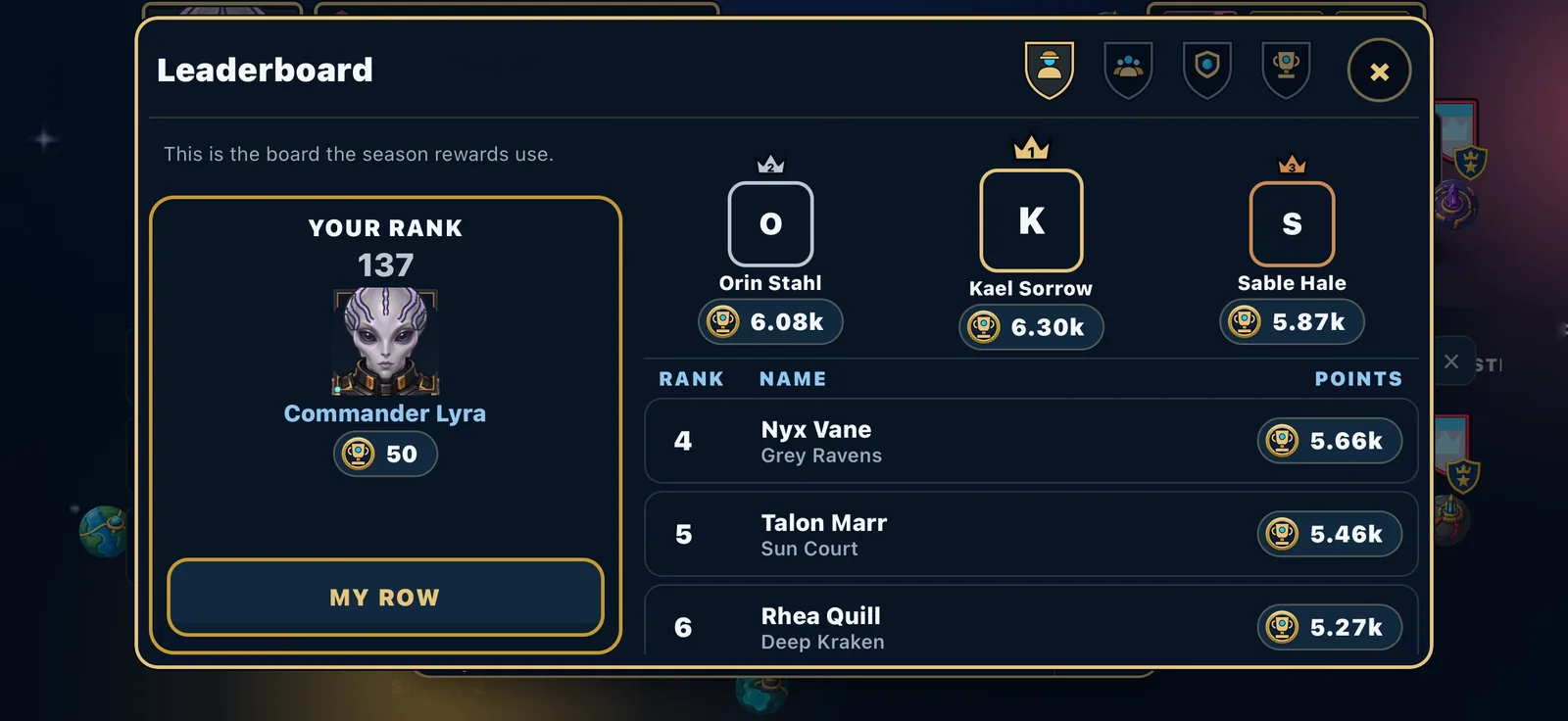
Your score
Your season score comes from the worlds you hold, the fleet you keep, the battles you win, the rallies your clan launches and the guard fleets you station. Hold worlds, win fights, play with your clan, and it climbs.
What you win
Finishing well pays gold:
| Finish | Gold |
|---|---|
| 1st | 750 gold |
| Top 10 | 500 gold |
| Top 30 | 250 gold |
| Top 10% | 100 gold |
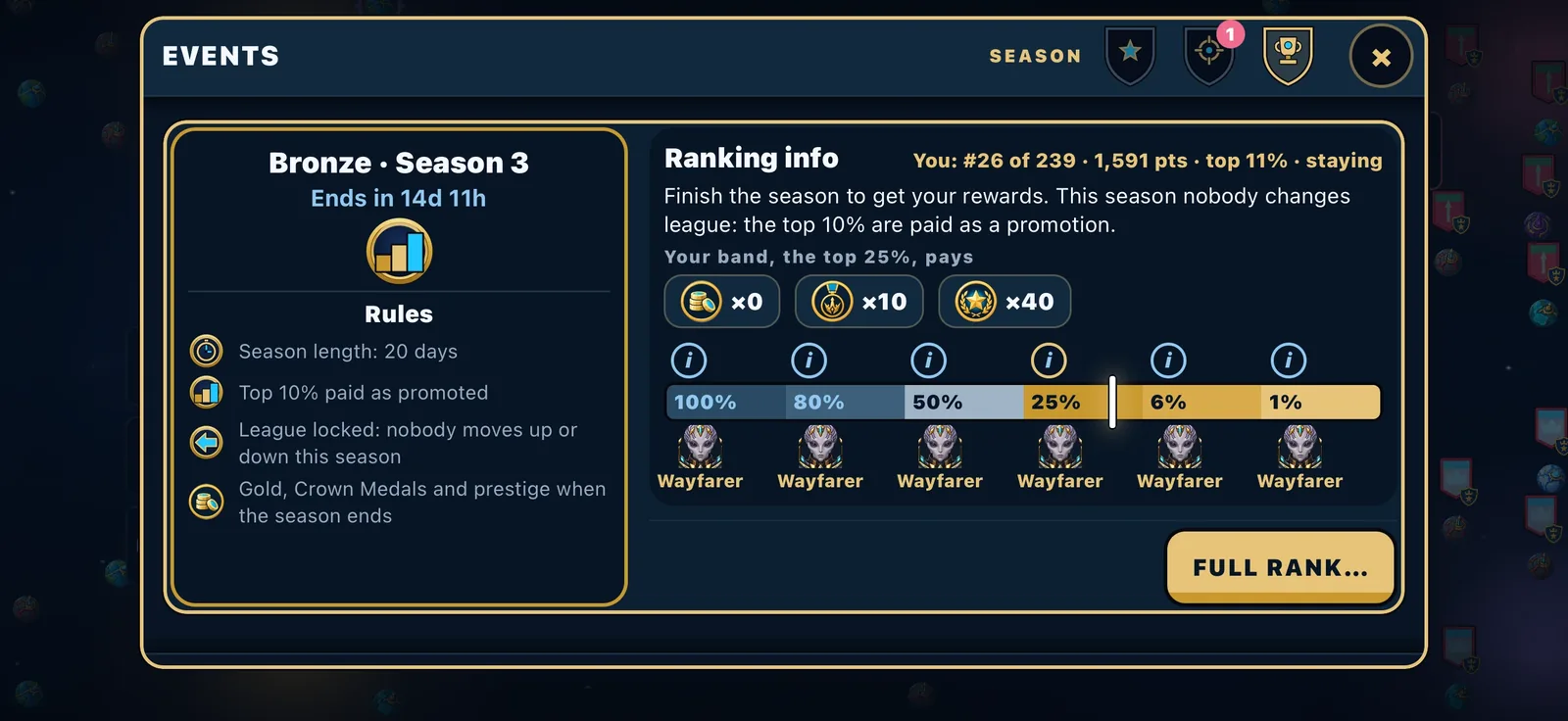
Crown Medals come on top. Every commander who scored at least one point gets some, and the higher you finish the more: the top 1% get the most, then the top 6%, then the top half. The SEASON tab under EVENTS shows your band and exactly what it pays you, with a marker for where you stand right now.
The podium wins gems. The top three of every league also win Legacy gems when the season ends, first place the most. Your season recap reveals them on spinning reels, one by one, and they land in your Storage.
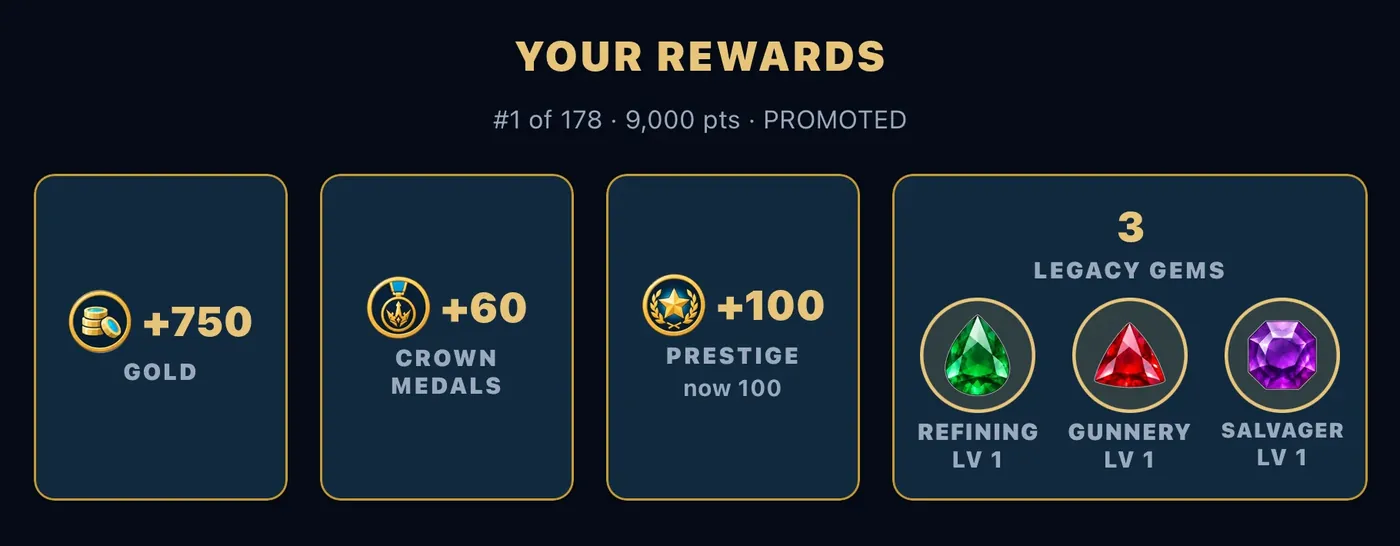
Claiming your finished season also pays Prestige Points: 100 for a finish that moves you up a league (while leagues are locked, a finish that would have), 40 for holding your league, 10 for a finish in the bottom 10%. Prestige Points unlock portrait frames for your commander. They are permanent, and they never reset.
When a season ends
When a season ends, every commander is paid the gold, Crown Medals and prestige their final position earns — a top finish is paid as a promotion even while the league is locked — and the next season starts everyone from a single fresh capital with a newcomer's resources. Gold, prestige, Crown Medals, history and everything bought stay with you.
Fresh Start
Off to a bad start? Early in a season you can take a Fresh Start: begin the season again from a new, quiet capital. You keep your gold, Crown Medals, cosmetics and lineage; your worlds, ships, research and commander level start again from the beginning. You can take up to three a season: the first is free, the second costs 200 gold and the third 400. You will find it as the FRESH START pill in your Stats overview under COMMANDER; its (i) explains it, and outside the first day of the season the pill is dimmed.
Events
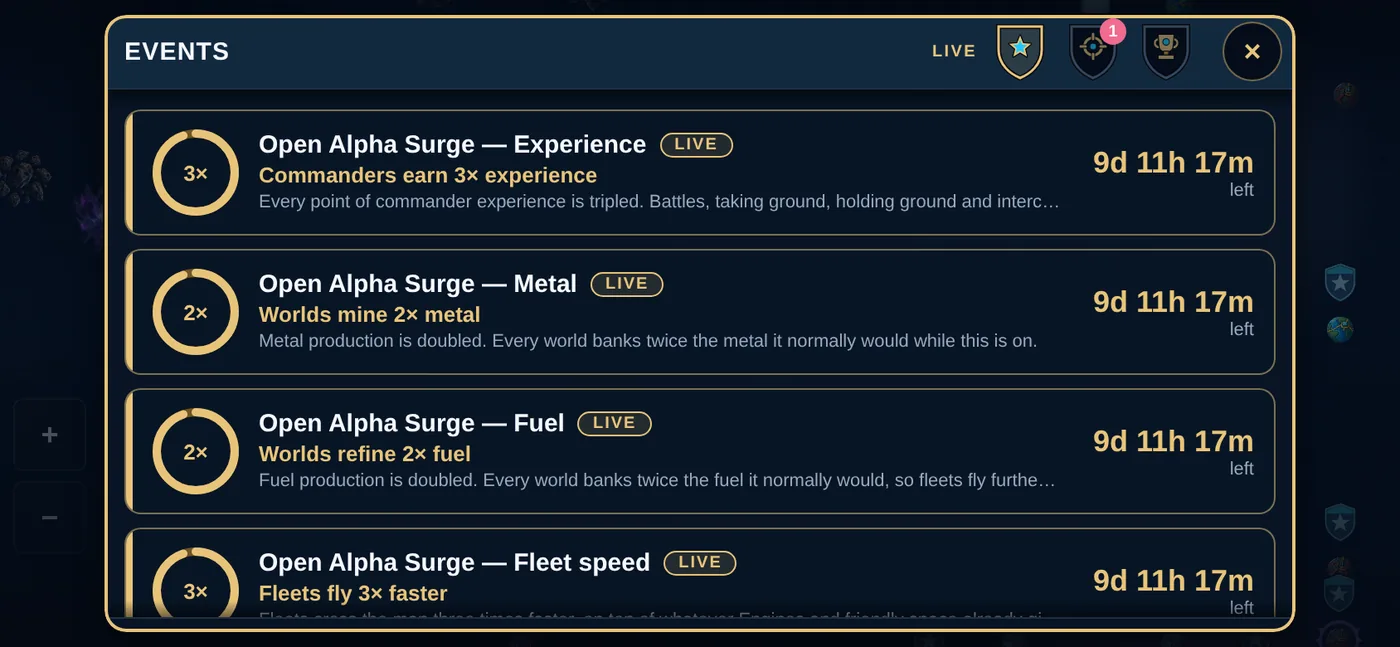
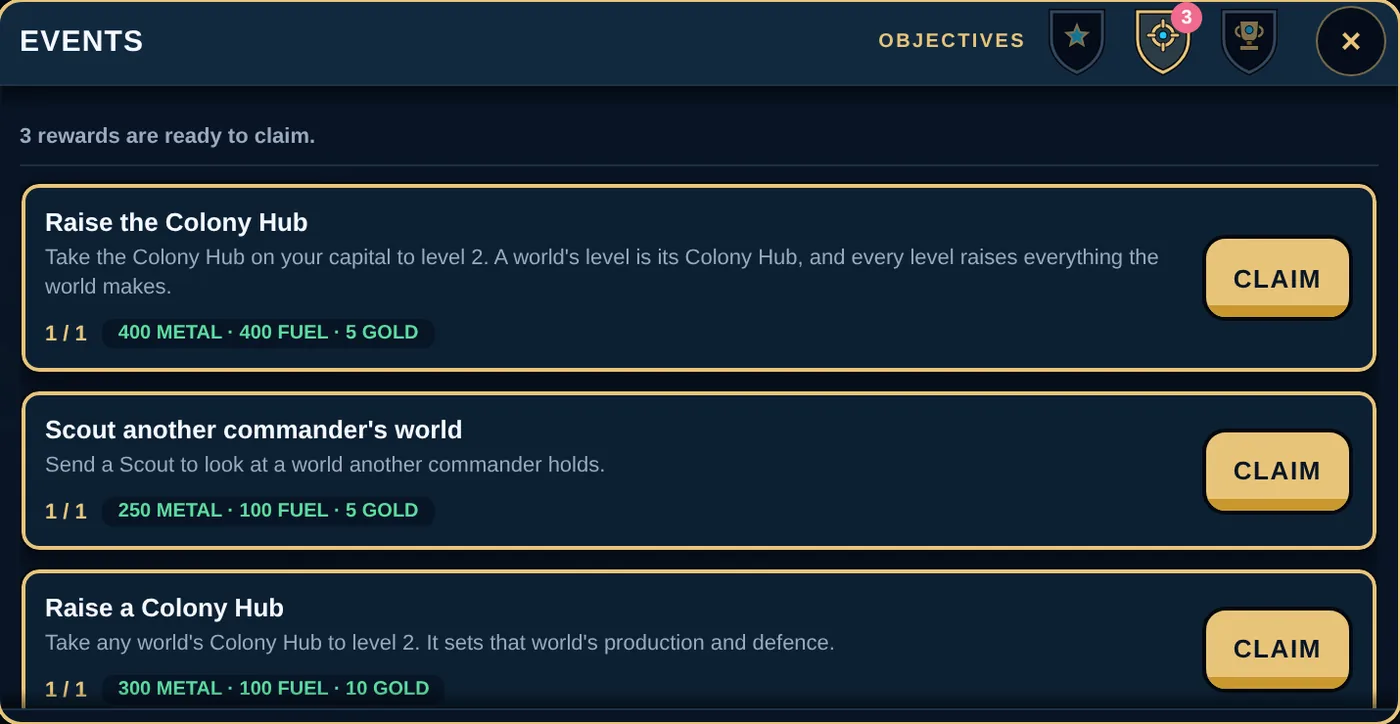
From time to time the studio switches on a live event: a temporary boost to something in the game, such as triple experience, double metal, faster fleets or doubled landmark perks, for as long as it is on. The EVENTS screen shows what is running and what is coming, with a countdown on each card. An event marked "NOT RUNNING YET" is scheduled, not live. Objectives live on the same screen: small tasks that pay metal, fuel and gold as you learn the game.
 9. Ten things a new commander should do first
- Spend your Starting Reserves. They arrive by themselves with your first world (STORE, then REWARDS lists them): your metal and fuel doubled, and 100 gold.
- Register your account. SETTINGS, then ACCOUNT. It keeps everything, lets you join a clan, and means your commander is safe.
- Raise your capital's Colony Hub. The Hub is the level: every level makes the whole world earn more and defend itself better. Then raise the Extractor and the Refinery behind it.
- Turn on auto Fighters at your capital. FLEETS, then SHIPYARD. It costs a slice of the capital's metal and quietly builds a home defence while you sleep.
- Send your three Colony Ships. Look for unclaimed worlds nearby, Volcanic or Oceanic if you can find them, and claim them. Four worlds produce roughly four times what one does.
- Scout your neighbours. One Scout per world is enough for a first look; send 10 or more when you need a clearer report. Put a level or two into Intelligence research early; it also makes you harder to scout.
- Raise a Research Lab and start Industry. Every level is 4% more of both resources on every world you will ever own. Research takes time, so keep the queue full.
- Never attack unscouted, and never bully. Capitals cannot be attacked, and a target far below your strength pays you nothing. Look for a fair fight, scout it, and read the attack panel before you launch.
- Keep something at home. A fleet in the air defends nothing. Before you launch, ask what is left docked at each world.
- Find a clan. ALLIANCES, then CLAN: join an open one, or found one with friends. Join a rally, time your launch, and land with the others. That is where Crownfall becomes the game it was built to be.
 10. Glossary
- Admitted power — the most combat power a world lets in when you attack someone far weaker than you: 1,200 per Hub level. Fair fights have no limit.
- Alliance — a group of clans.
- Bully floor — the rule that refuses attacks on anyone below 10% of your power, and penalises attacks on anyone below 30%. Attacks far below your strength pay nothing.
- Capital — a commander's home world. It can never be attacked. On the map, yours wears a gold ring with points on its sides; everyone else's wears a violet one.
- Clan — a small group of commanders. Each clan is open to join, by approval, or invite only.
- Colonise — claim an empty world with a Colony Ship.
- Colony Hub — the building that is a world's level. No top level; each level costs 1.8 times the last.
- Combat power — the one number that decides a fight. Every ship has some, and so do a world's walls.
- Commander — you. Your commander has a level, skills and a portrait.
- Crest — the badge above a held world on the map; its frame colour says who the holder is to you.
- Crown Medals — a rare currency earned from season results. Buys Legacy gems.
- Fresh Start — beginning the season again, early on, from a new quiet capital. Up to three a season: the first free, then 200 and 400 gold.
- Crown World — what the app calls your capital on the map.
- Debris — what is left after ships are destroyed. Collect it with Recyclers.
- Display name — the name everyone sees. Your first two changes are free.
- Gold — earned from levels, seasons, objectives and real wins. Pays for renames, Regroups and speed-ups.
- Guard — ships stationed at a world to defend it.
- Guest — a commander who has not registered yet. A guest cannot join a clan.
- Handle — your permanent ID. Cannot be changed.
- Hub level badge — the small number under a crest: that world's Colony Hub level.
- Intercept — attacking an enemy fleet while it is still in flight.
- Landmark — one of six special worlds (Vulkanos, Lyra, Vesper, Halcyon, Corvane, Solenne). It produces no metal or fuel and nothing can be built on it; holding it gives its perks to you and your clan and alliance. On the map it wears a glowing cyan ring.
- League — the division you compete in, from Bronze up to Legend.
- Legacy — your permanent gem slots, one per skill. Gems are bought with Crown Medals or won on a season podium, and two identical gems make one of the next level.
- Lineage — Human, Reptilian or Grey: your commander’s people, with their own strengths and a signature. Chosen once when you take command; your face follows it. Converting later costs gold and starts next season.
- Metal and Fuel — the two resources.
- Objective — a small task on the EVENTS screen that pays metal, fuel and gold.
- Prestige Points — a permanent score that unlocks portrait frames.
- Rally — a clan's shared plan to hit one target at one time. Each member launches their own fleet.
- Regroup — gathering your own fleets from several worlds so they arrive together.
- Reinforce — moving ships to another of your worlds to dock there.
- Scavenger / Salvager — metal and fuel from the ships you destroy, attacking and defending.
- Scout — a cheap, fast ship that reports what is at a world.
- Season — the competition every league plays. For now nobody changes league, but a finish that would move you up is rewarded as if it had.
- Shield — 4, 6 or 8 hours in which nobody can attack or scout your worlds, and you cannot attack either.
- Storage — COMMANDER, then STORAGE: where everything you buy, and your gems, wait until you use them.
- Speed-up — a gold item that takes 70% off the time left on a friendly flight or a build; never on an attack.
- Total defence — the one figure on a scout report for everything that guards a world.
- Turf — the gold area around your worlds where you can see everything that moves.
- War vote — the secret vote inside a clan that decides whether it goes to war.
- Walls — a world's own defence, given by its Colony Hub: a fixed amount per level, plus a share of what stands there.
- World level — the level of a world's Colony Hub. Multiplies production, sets admitted power and the walls.
This guide describes Crownfall build 94 (October 2026). Live settings can change; the game is always right.